
5 Essential Skills for AI Side Hustles + a 12-Week Roadmap
Knowing how to use ChatGPT or Canva is not enough to earn consistently from AI side hustles. In practice, five skills form the real foundation of income: prompt design, research, editing, domain expertise, and client acquisition. Having built multiple AI-assisted content production workflows on freelancing platforms, I found that a clear division of labor, where prompts handle the prep work, AI drafts the raw output, and a human polishes through editing, consistently improved both turnaround time and quality.
ℹ️ Note
Pricing, usage limits, and other figures mentioned for specific tools change frequently. Always verify current numbers on each service's official Pricing or Terms page (e.g., OpenAI: https://openai.com/pricing) before relying on them. This site is still building out its content library, so internal links will be added as related articles are published.
How to Think About Skills Before You Start Earning with AI
Skill here does not mean surface-level familiarity. Being able to generate text in ChatGPT, drag elements around in Canva, or recognize a spreadsheet function name is knowledge, not capability. Skill is practiced ability acquired through training, and in the context of AI side hustles it means the ability to produce a deliverable at a consistent quality level, on deadline, repeatedly. What gets valued is not knowing a tool's name but having internalized the craft, whether that is writing, image work, video, translation, or administrative tasks, well enough to use it under real conditions.
AI side hustles are growing as a way to monetize efficiency gains from generative AI and other AI tools. Still, what clients actually pay for is not "whatever the AI produced" but the ability to shape that output to fit a specific purpose. In a writing project, producing a draft is table stakes; the real question is whether the draft matches the search intent, whether the facts check out, and whether the tone fits the client's publication. The same applies to spreadsheet work: AI can suggest formulas and table layouts, but a human decides whether the finished sheet actually works. The people who earn from AI side hustles are the ones who can manage the quality of the deliverable, not merely operate the tool.
This gap shows up clearly in my own editorial work. Two people with similar knowledge levels will approach the same brief very differently. One sends a vague "write an SEO article" prompt. The other specifies reader profile, search intent, heading structure, prohibited expressions, and how to handle primary sources, then follows a defined sequence of fact-checking and tone adjustment after each output. The second person's first draft needs far fewer revisions and produces more consistent deliverables. More than volume of knowledge, prompt precision paired with a verification process is what directly determines quality in practice.
AI Is the Tool; You Own the Quality
A healthy starting mindset for AI side hustles is to stop thinking of AI as something that "does the whole job for you." ChatGPT, Claude, Gemini, and similar generative AI models are remarkably useful, but context misreads, factual mix-ups, and awkward phrasing happen regularly. The default workflow is an iterative loop: pass requirements through the prompt, verify the output, then edit and finalize as a human.
This matters most for beginners. Even without deep domain expertise, learning the prompt-design-and-verify cycle early prevents delivery mishaps. General prompt engineering guidance also emphasizes clear instructions, explicit constraints, and iterative refinement as fundamentals. In AI side hustles, the people who grow fastest are the ones who do not skip the iteration step. If your approach is to ship the first output untouched, repeat clients become very hard to come by.
💡 Tip
The first thing worth building is not an advanced technical skill but a practical workflow: how to instruct and how to revise. Prompt design raises speed and repeatability; editing and quality control raise your rebooking rate.
プロンプトの設計に関する一般的なヒント – Nextra
A Comprehensive Overview of Prompt Engineering
www.promptingguide.aiHold Your Skills in a Form That Can Keep Up with Change
In the AI space, today's best practice may not survive the next few years. A widely cited point from World Economic Forum-related summaries is that up to 44% of workers' skills could become obsolete by 2027. The exact number deserves caution, but the underlying point stands: this is not a learn-once-and-done field. Tool interfaces, available models, commercial-use rules, and expected delivery formats shift fast; last year's optimal workflow may already be outdated.
That is why skill in AI side hustles is better understood as an ability to keep updating rather than a fixed technique. Someone who can "break requirements into instructions," "spot errors in output," and "adjust deliverables to the client's goal" will adapt when the tool changes, while someone who memorized the ChatGPT interface will not. Structured learning roadmaps, like those published by university AI labs, suggest building competence in stages for exactly this reason. Rather than going wide and deep from day one, solidifying fundamentals and updating as needed is the more realistic path for side hustles.
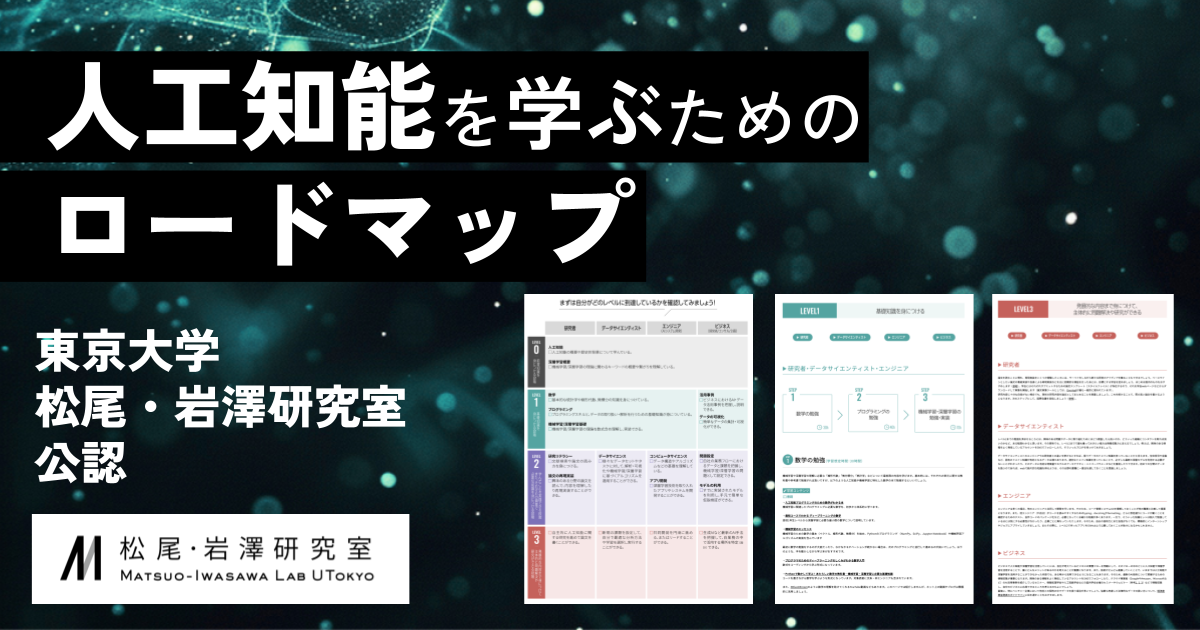
人工知能を学ぶためのロードマップ(東京大学松尾・岩澤研究室公認)
人工知能や深層学習を学んだことのない方を対象に、それらを学ぶためのロードマップを紹介しています。本ロードマップでは達成目標として、「研究者」「データサイエンティスト」「エンジニア」「ビジネス」の4つの職業ごとに4つのレベルを設けています。ま
weblab.t.u-tokyo.ac.jpWho This Article Is Written For
The rest of this article assumes a complete beginner: someone who has tried AI tools but has not yet turned that into paid work. This is not an acceleration track for designers or developers already earning in their main job. The assumed time budget is 5 to 10 hours per week, combining weekday pockets with weekend blocks.
Timelines and income vary widely by individual. Drawing on my own project experience and published surveys, beginners sometimes reach their first earnings within a few weeks to a few months, but timing and amounts (say, 10,000 to 50,000 yen per month, roughly $65 to $330 USD) depend heavily on skill level, application volume, and project selection. This article treats "a few thousand to a few tens of thousands of yen per month" as a realistic range that exists, while making clear that specific outcomes depend on individual conditions.
The reason for this framing is straightforward. Survey data puts the overall average side-hustle income for Japanese workers at around 60,000 yen (~$400 USD) per month, but AI side hustles in particular have wide variation by genre and skill level, and the structure does not favor beginners jumping straight to high-paying gigs. A doda workforce survey also confirms the general range of side-income averages, but AI projects specifically test whether you can "reliably complete even one project" before anything else. So instead of showcasing dramatic success stories, this article focuses on building skills in a way that is actually reproducible.
The 5 Skills You Need for AI Side Hustles
These five skills make more sense when you separate what AI handles from what a human must own rather than studying them in isolation. AI excels at repetitive tasks like generation, summarization, and formatting. Humans own requirements definition, source verification, proofreading, and negotiation. Beginner priorities follow from that division. Lock down prompt design and editing/quality control first, since they directly determine whether output becomes a shippable deliverable, then expand into research and information organization, domain expertise, and client acquisition.
Prompt Design: Instruction Quality Determines Output Quality
Prompt design is not about coaxing "decent-sounding text" from AI. Its role is to reliably extract a first draft that meets the project requirements. For writing, that means article structures, intro paragraphs, heading options, and summary drafts. For administrative work, it means email templates, table organization plans, and spreadsheet formula scaffolds. For design and video, it means layout concepts and copy drafts. The key insight is that even when two people use the same ChatGPT or Claude model, the granularity of their instructions creates a significant gap in working time.
In my own workflow, structuring prompts around four elements, purpose, constraints, procedure, and output format, has been the most stable approach. For article production, that means specifying who the piece is for and what it should achieve (purpose), listing prohibited expressions, tone, and approximate word count (constraints), defining the sequence from heading creation to body generation (procedure), and requesting output segmented by heading (format). This structure shrinks downstream revision and transfers well across projects. General prompt engineering resources also stress the importance of clear instructions and explicit constraints.
A concrete example: for an SEO article draft, "write about side hustles" produces little of value. But "write for office workers in their 30s, use vocabulary accessible to beginners, 300 to 500 words per heading, omit anything that cannot be verified, minimize bullet lists" gets much closer to editable material. AI handles this first-draft generation; the human makes the final call on search intent and adjusts tone to fit the publication.
Beginner priority: highest. Even with shallow domain knowledge, getting your instructions right immediately improves speed and consistency. The most common early stumble is omitting constraints. When you leave out prohibited items, target reader, or delivery format, the output goes sideways. The fix is a reusable template with slots for purpose, constraints, procedure, and output format. Fill the constraint list before you prompt, and accuracy stabilizes noticeably.
Research and Information Organization: Gathering Sources, Structuring, Distilling
Research exists to build the factual foundation that turns AI output into a credible deliverable. In AI side hustles, even if AI can generate text, sloppy source handling and weak prioritization weaken the final product. This gap shows up most in article production, deck creation, competitive analysis, and social media management.
The workflow is straightforward: gather sources, structure them, then distill key points. If you are writing about the AI side-hustle landscape, you split the topic into definition, market rates, acquisition channels, and common failure points, then collect information for each. Primary sources and high-credibility surveys go at the top; personal blog posts and anecdotal accounts serve as supplementary reference. AI is efficient at summarizing collected material or drafting comparison tables, but the judgment of what to keep and what to cut stays with the human.
In practice, a writing gig typically follows "extract competitor headings, classify by topic, fill gaps." For spreadsheet work, it is "decompose the brief, generate candidate formulas and procedures, then adjust against the actual data." Google Sheets supports up to 10 million cells per file, but at 100 columns the practical row limit drops to about 100,000. Understanding these kinds of specs means you can advise on sheet design, not just paste AI-generated formulas.
Beginner priority: third. Without prompt design and editing in place, deep research alone does not convert into a deliverable. The common stumble is collecting too much and losing the thread, or trusting an AI summary at face value. The fix: before you start, write one sentence defining what decision this research supports, then sort everything you find into "fact," "comparison," and "supplementary." Creating those bins before trying to distill prevents information gridlock.
Editing and Quality Control: Fact-Check, Tone Alignment, and Formatting Checklist
Editing and quality control rank alongside prompt design as the most critical skill for building stable AI side-hustle income. AI produces first drafts quickly, but those drafts routinely contain factual errors, awkward transitions, repeated phrases, and tone mismatches. The editing stage is where the real work happens.
From my experience, even when AI handles the draft, having a human rewrite the headings, introduction, and conclusion tends to improve rebooking rates. Clients focus less on word count and more on "whether the opening hooks," "whether the structure holds," and "whether the ending lands naturally." AI drafts save time, but they do not automatically match a publication's voice. Projects where a human owns that final layer tend to require fewer revision rounds.
The editing lens breaks into three areas. First, fact-checking: catching errors in numbers, proper nouns, regulatory descriptions, and tool specifications. Second, tone alignment: smoothing inconsistencies in register, eliminating repetitive sentence endings, and adjusting jargon to the reader's level. Third, formatting: verifying heading granularity, list ordering, line breaks, and delivery format compliance. AI can assist with typo detection and basic reformatting, but the final readability judgment is a human job.
Beginner priority: highest. Even at lower price points, someone who manages quality reliably earns repeat business. The most cited failure mode in AI side hustles is submitting AI output without review. The stumble point is treating freshly generated text as "close enough." The fix: before every delivery, run through "facts, tone, formatting" in the same order every time. Locking in the checklist reduces oversights even for beginners.
💡 Tip
What beginners should build first is not a lengthy study log but a short verification routine. For prompts: purpose, constraints, procedure, output format. For pre-delivery review: facts, tone, formatting. With these locked in, swapping details per project becomes easy.
Domain Expertise: Minimum Viable Proficiency in Writing, Design, Video, Admin, and Code
Domain expertise is what turns AI-generated material into a deliverable that holds up professionally. AI side hustles are accessible to newcomers, but when it comes time to raise rates, this is the skill that makes the difference. For writing, that means structural thinking and revision depth. For design, layout and legibility. For video, pacing and subtitle clarity. For admin work, verification accuracy. For code, foundational understanding and the ability to test.
The minimum bar is not being a polished professional, but being proficient enough to judge whether AI output is good or bad. In writing, that means spotting when a heading does not match its body or when a paraphrase reads unnaturally. In spreadsheet and admin work, it means verifying formula results and data transfers. In programming, it means running AI-generated code and tracing what an error message means. Published rate ranges reflect this: writing projects generally fall in the thousands-to-tens-of-thousands-of-yen range (~$35 to $330+ USD per project), Excel and admin work runs about 5,000 to 50,000 yen/month (~$33 to $330 USD), and small programming projects sit at 30,000 to 100,000 yen (~$200 to $660 USD). The spread comes down to depth of domain expertise.
A practical example: when mass-producing social media graphics in Canva, you might have AI generate copy options and layout concepts, then a human adjusts whitespace, font size, and visual flow. In a tool like CapCut, auto-subtitles and auto-cuts work, but readable subtitle segmentation and cutting dead air still require human judgment. For code assistance, having AI draft functions or scripts is productive, but without foundational knowledge, you cannot fix what breaks.
Beginner priority: fourth. Locking in prompt design and quality control first makes it easier to build experience through small projects. The stumble is spreading across too many tools and ending up mediocre everywhere. The fix: pick one domain, whichever is closest to your current day job or experience. If you already do admin work, start with Excel assistance. If you are closer to writing, start with content production. That is where AI leverage hits hardest.
Client Acquisition: Project Selection, Proposals, and Communication Patterns
Client acquisition is what connects your skills to actual revenue. In AI side hustles, expanding your capabilities means nothing if you cannot land projects. The main channels are freelancing platforms (such as Upwork and Fiverr internationally, or CrowdWorks and Lancers in Japan) and social media outreach. Project rates range from a few thousand yen to tens of thousands of yen (~$20 to $330+ USD). The first priority is not chasing high-paying gigs but choosing projects you can actually win at your current level.
For project selection, look for postings that mention "AI use OK," "outline provided," "research included," or "clear revision guidelines." These are easier to execute. Conversely, vague briefs with heavy workloads tend to burn out beginners. In proposals, a concise statement of "what you can do," "where AI handles the work versus where you take personal responsibility" outperforms a long self-introduction. For a writing gig, something like "I use AI for background research and outline drafting, while fact-checking and tone adjustment are done manually" communicates competence without sounding like you are outsourcing everything to a bot.
Communication is another area where the human element is irreplaceable. Confirming requirements, aligning on deadlines, defining revision scope, and resolving misunderstandings cannot be delegated to AI. In my experience on freelancing platforms, the people who earn repeat business stand out not just for their deliverables but for fast confirmations and well-organized replies. Being able to use AI is less of an advantage than using AI while keeping your process tight.
Beginner priority: fifth, but that does not mean unimportant. The stumble points are overreaching in proposals before you have credentials, and pricing too low out of desperation. The fix: structure your first proposals around three elements, "work I can handle," "work I will not take on," and "questions I need answered." Having a template for outreach lets you swap details per project and avoid committing to work you cannot deliver.
AI Side Hustles by Skill Type and Income Benchmarks
Writing: Dividing Structure, Drafting, and Summarization, Plus Rate Ranges
Writing is one of the easiest entry points for AI side hustles and one of the most straightforward to price. In practice, you insert AI at specific stages: generating article outlines in ChatGPT, drafting body text by heading, summarizing long-form documents. The human then handles fact-checking, tone adjustment, deduplication, and heading-body alignment. The critical point is that pay depends not on whether you used AI but on how polished the deliverable is.
Rate ranges for AI side-hustle writing generally fall within the overall standard of a few thousand to a few tens of thousands of yen per project (~$20 to $330+ USD). The lower end covers summarization, light rewrites, and outline assistance in the few-thousand-yen range. The mid tier includes projects where you deliver both an outline and a draft, reaching into the tens of thousands. The upper end involves search-intent analysis, competitive comparison, and full editorial work. What separates tiers is not raw writing ability but how much editing and quality control you bring to the table.
From my own experience, article production that took 120 minutes entirely by hand can drop to 60 to 80 minutes when AI handles the outline and draft. The time saved is in writing, not in verification; the review step stays the same length. Even on a project paying a few thousand yen, the difference between 120 and 70 minutes changes whether the effective hourly rate makes sense. On the other hand, if you ship AI output without review and trigger revision rounds, the apparent time savings vanish instantly.
The strongest position in this space belongs to people who see "structure," "draft," and "summary" as distinct deliverables. Structure means heading design. Draft means paragraph generation. Summary means meeting-note or document distillation. When you can articulate that separation, proposals like "I handle outline creation" or "AI drafts, I edit to delivery standard" become natural, and repeat bookings follow.
Image and Design: Generation, Retouching, and Production-Ready Files
In image and design work, AI accelerates the rough stage, and the human finishes it to a standard clients can publish. A typical flow: generate several concept options with DALL-E or Midjourney-style tools, lay them out in Canva for banners or social posts, then finalize type spacing, whitespace, brand colors, and export sizes. The paid value lives in the post-processing that makes it usable, not in generation itself.
Rates vary widely by scope, but most projects land within the standard AI side-hustle range of a few thousand to a few tens of thousands of yen (~$20 to $330+ USD). The lower tier covers simple social image mockups or template adjustments. The mid tier includes multi-variant proposals with copy adjustments and size variations. The upper tier involves ad creative A/B sets or multi-platform export packages.
An often-overlooked cost in this field is post-generation cleanup. AI images may look polished at first glance, but text-area artifacts, hand and face anomalies, background noise, and tonal inconsistencies are common. What the client wants is not "an interesting image" but a file they can publish immediately. Someone who can do a quick cleanup in Photoshop, tighten text placement in Canva, and export to required dimensions commands higher rates.
Even without a design background, the differentiator is being able to articulate visual quality: "the whitespace is too tight," "the visual hierarchy is weak," "the title lacks contrast." That judgment alone lifts you above commodity image generation.
Video: Automating Scripts, Subtitles, and Cut Lists, Plus Quality Control
In video work, AI adds the most value in pre-production and organization. Drafting short-form scripts in ChatGPT, running auto-subtitles in CapCut, generating cut-point suggestions per highlight, these steps dramatically speed up the editing start. But what determines delivery value is pacing, subtitle readability, dead-air removal, and proper-noun corrections, all human judgments.
Rate ranges start at the low-thousand-yen tier for subtitle corrections and cut-list organization, move into the mid-tier for combined script generation and subtitle formatting, and reach the upper tier for multi-episode series management and thumbnail copy. Projects where per-video work time is predictable translate well into hourly-rate thinking; projects with long raw footage and vague revision briefs tend to balloon.
The operating principle for AI in video work is separating "generation" from "inspection." Auto-subtitles are fast but often split spoken phrases unnaturally or mangle proper nouns. Script generation produces flow but sometimes overloads information relative to the target duration. The practical approach is to let AI build the scaffold, then cut with viewer retention in mind. Weak quality control means the time you saved gets eaten by revision rounds, and your effective rate collapses.
Excel and Admin: Formulas, VBA, Automation Assistance, and Monthly Rate Ranges
Excel and admin work is easy to start alongside a day job, and the efficiency gains from AI translate directly into time savings. Common uses: having ChatGPT suggest formulas, drafting VBA or Google Apps Script snippets, building formatting-consistency rules, and proposing table structures. Deliverables extend beyond finished files to workflow improvement proposals and template development.
Published income ranges center around 5,000 to 50,000 yen per month (~$33 to $330 USD). The low end involves one-off table cleanup or formula fixes. The mid range covers recurring monthly aggregation, invoice formatting, or data-entry streamlining, where a few tens of thousands of yen per month becomes realistic. The upper range includes multi-sheet workflow redesign and automation. Unlike writing, where pricing is per-project, admin work tends to stack as monthly retainers.
This space is unglamorous but highly compatible with ongoing contracts. Google Sheets supports up to 10 million cells per file, but practical row limits shrink fast as columns increase: 10 columns gives about 1 million rows, 100 columns about 100,000, and 1,000 columns about 10,000. Advising a client to "keep column count lean" or "split heavy processes into separate sheets" shifts you from data-entry temp to process-improvement consultant.
Verification matters disproportionately in admin work because mistakes carry real liability. Pasting an AI-suggested formula and moving on is not enough; being the person who validates whether the result is correct is what earns the contract renewal. Quiet skill, but it compounds.
Programming: Small and Mid-Scale Rates, and Why Requirements Definition Matters
Programming yields the largest time savings from AI but also the sharpest skill-dependent income gap. AI handles code scaffolding, error isolation, function suggestions, and test-case outlines. The human owns requirements definition, runtime verification, edge-case handling, and maintainability. Delegating everything to AI is the most warned-against pattern in this domain, but used properly, productivity gains are substantial.
Rate benchmarks are relatively well-defined: small projects run 30,000 to 100,000 yen per project (~$200 to $660 USD), and mid-scale projects 100,000 to 300,000 yen (~$660 to $2,000 USD). Small includes bug fixes, form additions, automation scripts, and internal tool setup. Mid-scale covers multi-feature implementations, admin-panel modifications, and architecture work with operational considerations. As rates rise, the bottleneck shifts from coding speed to the ability to articulate what needs to be built.
Weak requirements definition means that the more code AI generates, the higher the fix cost. If "what are the input fields," "what happens on failure," and "who uses this" remain ambiguous, even working code does not constitute a deliverable. Conversely, someone who can decompose requirements and feed them into AI as granular instructions retains margin even on small projects. The value of code assistance lies less in generation and more in building a reproducible process.
For broader context, a doda survey puts the average monthly side-hustle income for salaried workers at about 65,000 yen (~$430 USD), with workers over 40 averaging 96,564 yen (~$640 USD). AI side hustles do not magically escape this reality. Rather than swinging for high-value contracts immediately, building a stable pipeline of projects in the few-thousand to few-tens-of-thousands-of-yen range and pushing past the 5,000 to 50,000 yen/month tier (~$33 to $330 USD) is the more realistic trajectory.
💡 Tip
When evaluating income benchmarks, always pair the rate with the hours required. A project worth tens of thousands of yen that eats a full week has a poor effective hourly rate. A project worth a few thousand yen that AI compresses to under an hour serves as solid portfolio-building, even at a modest absolute number.
12-Week Roadmap for Beginners
This roadmap assumes 5 to 10 hours per week and is structured as Weeks 1-4 for fundamentals, Weeks 5-8 for production, and Weeks 9-12 for applications and iteration. The underlying philosophy aligns with staged learning roadmaps published by university AI labs, such as the one from the University of Tokyo's Matsuo-Iwasawa Lab, which recommend seeing the full landscape first and then layering capabilities step by step. Resources on platforms like Qiita describe a similar split between "10-hour overview courses" and "200-hour applied tracks." This 12-week plan sits between the two as a practice-oriented introduction.
Weeks 1-2: Free Tool Trials, Prompt Fundamentals, and Building Your Quality-Check Routine
The first two weeks are not about volume; they are about developing the instinct to evaluate AI output rather than just generate it. You do not need many tools. For text, ChatGPT's free plan is a solid start, with Claude and Google Gemini free tiers for comparison, and Notion or Google Sheets for organization. ChatGPT offers a free plan; OpenAI also sells paid tiers, with Plus at $20/month and Go at $8/month, but free is sufficient at this stage. Comparing multiple tools is not about chasing the best model; it is about feeling how the same instruction produces different output tendencies.
Three goals for these two weeks. First, being able to explain how small changes to your instructions shift the output. Second, being able to spot awkward phrasing or missing information in an AI response. Third, locking in a quality-check routine in your own words. Deliverables can be small: three short headline drafts, three social-media copy variants, three summaries. On top of that, build a prompt verification template with roughly six fields: purpose, reader, input information, output format, prohibited items, and evaluation criteria. This template converts directly into a project-use asset later.
Weeks 3-4: Repetition Through 4 Mini-Assignments
Weeks 3-4 shift from knowing to doing, with four mini-assignments to build repetition. Avoid jumping between unrelated topics; if you are writing-oriented, run "product introduction," "summary," "comparison," and "FAQ compilation." If admin-oriented, try "formula proposal," "table formatting," "procedure-document draft," and "email draft." Keeping the assignments at a similar granularity lets learnings accumulate.
The goal is executing each assignment in four stages: instruct, generate, edit, review. The important metric here is not shrinking generation time but being able to articulate what you changed during editing. Deliverables are the four mini-assignments plus an improvement memo for each. Each memo captures "what the AI output did well," "what I fixed," and "what I would change in the initial instruction next time." This record becomes raw material for proposals and track-record explanations.
KPIs: 10 to 20 study hours across two weeks, four completed assignments, four improvement memos. Finishing all four matters more than perfecting any one of them. In practice, what clients require is not a single brilliant output but the ability to deliver at a consistent quality level.
The common stall in this block is output variance and editing fatigue. After four consecutive assignments, people tend to start from scratch each time, and both prompts and evaluation criteria drift. The fix: reuse the template from Weeks 1-2, and limit third-party review to one or two of the four. Using a checklist to apply the same correction pattern beats trying to polish everything individually.
Weeks 5-6: Pick One Genre, Produce 2 Mini-Portfolio Pieces
Starting in Week 5, narrow to a single genre. Spreading out now scatters your portfolio and weakens its focus. Beginner-friendly picks are writing, Excel/admin work, or basic design assistance: the AI workflow and required skills are relatively transparent, and entry-level gigs are easier to find.
The goal is being able to explain "what AI handles versus what I guarantee personally." For writing, that might mean: outlines and drafts are AI-assisted, fact-checking and tone adjustment are mine. Deliverables are two mini-portfolio pieces. Make one on a topic you are comfortable with and one on a topic resembling a real project brief. For articles, include headings, introduction, body, and a before/after editing comparison so the piece demonstrates process, not just output.
KPIs: 10 to 20 study hours, two mini-pieces, one genre-specific workflow document. The workflow document can be a single page listing "brief received, requirements organized, AI draft, edit, final check." Having this written down is surprisingly useful at the application stage.
The stumble here is failing to commit to one genre, leaving the portfolio directionless, or leaning so heavily on AI that every piece feels identical. The fix: at the topic-selection stage, define "who is this for" and "what does it solve" before writing anything. In my experience, pieces where the human visibly shaped the final product carry more weight than ones where AI did most of the heavy lifting.
Weeks 7-8: Portfolio Assembly, Profile Drafting, and Surveying 10 Live Postings
Weeks 7-8 are about packaging what you have built into a presentable format. Good work, poorly displayed, does not land. The tasks here are portfolio assembly, profile creation, and surveying 10 live project postings on freelancing platforms like Upwork, Fiverr, CrowdWorks, or Lancers. While detailed average-rate statistics from these platforms are hard to pin down officially, browsing live postings reveals what is expected in terms of scope and deliverable quality.
The goal is explaining your track record in three dimensions: "what I can do," "how far I can take it," and "how I work." Deliverables: one portfolio package, one profile draft, and survey notes on 10 postings. In your profile, go beyond listing tool names. Write something like "I use ChatGPT and Claude for scaffolding, Notion and Google Sheets for requirements tracking and project management," giving the reader a mental image of how you operate.
KPIs: 10 to 20 study hours, 2 to 4 portfolio items, 10 surveyed postings. More portfolio items is not better; genre coherence matters more. Keep the profile concise: coverage area, tools, quality-control approach.
The stumbles at this stage are abstracting your work descriptions into vagueness and getting discouraged by the rates you see. The fix: structure each piece description as "problem, where AI contributed, what the human adjusted." When surveying rates, mix in small beginner-accessible gigs alongside the higher-end listings so your baseline stays grounded.
💡 Tip
Portfolios earn more trust when you briefly explain how you built each piece rather than just showing the finished product. The fact that you used AI is not a differentiator, but demonstrating that you combined prompt design with editing to reach delivery quality communicates your working style directly.
Weeks 9-10: Proposal Template, 5-10 Applications, and Feedback Loops
Weeks 9-10 mark the start of real applications. The priority is building a template rather than writing each proposal from scratch. A proposal skeleton needs five elements: self-introduction, scope of work, process description, quality-control measures, and a brief credential or sample link. AI can draft the skeleton, but untouched AI proposals read generically. Pull a specific pain point from the job posting and weave it in.
The goal is being able to produce a proposal in under 30 minutes and being able to record a takeaway even from rejections. Deliverables: one proposal template, 5 to 10 customized applications, and a feedback memo tracking responses and non-responses. Too few applications leads to premature "this is not for me" conclusions; too many without a template tanks quality. This period aims for the middle ground.
KPIs: 10 to 20 study hours, 5 to 10 applications, one proposal template, at least 5 feedback entries. If 5 applications get no traction, the issue is likely in the profile or proposal, not in your skill. At 10 applications, your positioning patterns become clear.
The classic stumble is losing confidence after a string of non-responses. Side-hustle outreach is heavily influenced by presentation, not just ability, so a pass does not equal incompetence. The fix: improve the proposal incrementally each time. For example, "I will handle your project carefully" is weak; "before submitting the first draft I run heading-alignment and proper-noun verification" is specific and actionable. My own proposals are heavily templated, and the versions that performed best were always the ones with concrete workflow details rather than enthusiasm.
Weeks 11-12: First Delivery, Rate Review, and Pitching for Repeat Work
Weeks 11-12 are about reviewing results and refining, regardless of whether you have landed a project yet. If you did get a booking, this is the post-delivery retrospective phase. If not, it is time to audit your proposals, portfolio, and targeting. Rate adjustments enter the picture here for the first time. With zero track record, pass rate matters more than price, but once you have even one completed delivery, the framing shifts.
The goal is being able to retrospect on a project across three stages: "before accepting," "during production," and "after delivery." Deliverables: one project retrospective sheet, one updated portfolio, and one follow-up proposal draft. Follow-up proposals do not need to be elaborate pitches; something like "I can share the outline draft at an earlier stage next time" or "I am available for the same format on a monthly basis" reduces friction for the client.
KPIs: 10 to 20 study hours, one delivered or simulated delivery, one retrospective sheet, one follow-up proposal. By this point, total invested hours land in the 60 to 120 range, well past a 10-hour overview course and squarely at the threshold of a 200-hour applied track. This is not a get-rich-quick plan; it is a 12-week sprint to build a repeatable workflow.
The stumbles here are underestimating project hours after a first booking (and watching your rate collapse) or, if still unboked, inflating application volume without improving the pitch. The fix: always log time spent and revision count after delivery, and never increase application volume without also revising the proposal. AI side hustles are not decided by tool mastery alone. Prompt design, editing, and outreach need to mesh incrementally for your booking rate to climb. What this 12-week period is designed to build is not tool knowledge per se but the foundation for adapting that knowledge to each project.
A Progress-Tracking Template to Keep Your Learning on Track
Most people who stall are not lacking effort; they are lacking visibility into their own progress. AI side-hustle learning generates a lot of activity, watching tutorials, testing prompts, browsing project listings, but it is structurally hard to tell which of these moved a specific skill forward. The key insight is that preventing burnout is less about motivation and more about managing skill levels and weekly action volume in the same place.
I typically use Google Sheets or Notion for this. Sheets tend to be the most reproducible format: rows for week numbers, columns for the five skills, study hours, portfolio count, application count, bookings, retention rate, and average review score. Each skill column uses a 1-to-4 rating with conditional formatting, light shading for Level 1 through dark shading for Level 4, so strengths and stall points are visible at a glance. Google Sheets handles up to 10 million cells per file, so a weekly log like this will never bump capacity limits. Resist the urge to add too many columns early; start minimal and expand only when needed.
Example: 5-Skill x 4-Level Self-Assessment (Level 1)
The skill map does not need to be complicated. Break it down by "what do I need to be able to do to land projects" and map to the five skills: prompt design, research, editing/quality control, domain expertise, and client acquisition. Rating each on a four-level scale makes your current position and next challenge concrete.
The four levels work as follows. Level 1: you understand the terminology. Level 2: you can reproduce results using a template. Level 3: you can adapt to different project requirements. Level 4: you can propose improvements to the process itself. Using the same scale across all five skills prevents judgment drift.
For prompt design specifically: Level 1 means grasping what basic instructions like "summarize" or "list" do. Level 2 means using article-structure or table-building templates to get consistent output. Level 3 means adjusting constraints and tone per project to steer output deliberately. Level 4 means redesigning templates and procedures to reduce output variance. For editing/quality control: Level 1 is noticing typos and awkward phrasing. Level 2 is following a checklist to apply corrections. Level 3 is varying your editing approach by publication and purpose. Level 4 is articulating review criteria clearly enough to hand them to someone else.
Domain expertise follows the same logic. Writing maps to heading structure, introductions, and body coherence. Excel maps to formulas, table formatting, and aggregation design. Programming maps to code comprehension, execution, and validation. Client acquisition is often underestimated, but it stages neatly: Level 1, you can parse a job posting. Level 2, you can customize a template proposal. Level 3, you can reframe your pitch to match the client's problem. Level 4, you can negotiate follow-up terms and rate adjustments.
A practical tip for visualization: do not subdivide the five skills into 20 or 30 sub-items right away. That turns the tracker into a chore. I usually start with just the five top-level rows on the main sheet and keep detailed notes on a separate tab. The main sheet records "this week's level"; the notes tab records "why it changed" and "what is blocking progress." Splitting those two functions keeps the habit sustainable. When designing the skill map, start from the tasks that actual projects demand and sort them into the five skills, rather than starting from a curriculum. Work backward from the job, not forward from the textbook.
KPI Examples
Self-assessment alone skews subjective, so pairing it with action-based KPIs stabilizes learning. In the early phase of AI side hustles, action KPIs matter more than outcome KPIs. Bookings involve external factors, but study hours, portfolio production, and application count are fully within your control.
Weekly study hours: 5 to 10 as a baseline. Weekday increments plus weekend blocks make this range sustainable. Portfolio count: target 2 pieces initially, then 5, then 8. What matters is not the total but how many are genuinely finished. Application count: stage it at 5, then 15, then 30. At 5, trends are hard to read. Past 15, weaknesses in your proposal or profile become visible. At 30, even your project-selection patterns emerge.
Bookings, retention rate, and average review score matter too, but they only become meaningful once application and production volume has built up. Tracking whether a one-off gig turned into a repeat engagement, or whether review comments are consistent, is more useful than fixating on a single booking. In editing and admin work, where error-free delivery is the core value proposition, review averages are sometimes a better optimization target than rate.
The sheet I actually use has rows for "Week 1, Week 2..." and columns for weekly study hours, prompt-design level, research level, editing level, domain-expertise level, acquisition level, portfolio count, application count, bookings, retention rate, average review, "stop doing," "do more of," and "keep doing." Numeric columns are entered directly; level columns use 1-to-4 integers with conditional formatting (light for low, dark for high). Weeks where applications exceed a threshold but bookings are zero get a distinct highlight, making it easy to see whether the issue is effort or pitch quality. Tempting as it is to keep adding columns, 10 to 15 is the practical ceiling for a weekly review session.
Review cadence: weekly or biweekly, fixed day. Weekly reviews stay light; biweekly reviews go a bit deeper. The review prompt is just three questions: "What will I stop doing?" "What will I do more of?" "What will I keep doing?" For example, if you spent most of your time watching tutorials with little production output, stop the tutorial hours, increase hands-on mock projects, and keep the weekly review itself. These three questions land on actions rather than feelings, so the retrospective does not degenerate into self-criticism.
💡 Tip
Progress tracking is won through tracker design, not willpower. Just being able to see your five skill levels alongside weekly study hours, portfolio count, and application count in one view dramatically reduces the feeling of "working hard but going nowhere."
For Notion users, a database with one entry per week and properties for each skill level, study hours, and application count works well. It suits people who prefer writing-based reflection. On the other hand, Sheets wins on numeric trend visibility and color-coded overviews. I tend to split daily notes into Notion and weekly aggregation into Google Sheets. Either platform works, but if the skill map and the KPIs live in separate places, the habit tends to break. Keep the viewing surface consolidated.
Common Failure Points and Legal Considerations for AI Side Hustles
The most frequent failures in AI side hustles stem not from tool proficiency but from delivery mindset, genre selection, and regulatory blind spots. AI accelerates production, but it does not absorb accountability. Once you are taking payment, the standard is not "I produced it" but "I verified it before I shipped it."
The single most common failure is submitting ChatGPT or Claude text, or Canva/DALL-E images, without a human review pass. The risk compounds: factual errors, unnatural phrasing, and overlooked project-specific restrictions all land at once. In writing, it is factual mix-ups. In Excel and admin work, it is misread references or broken conditions. In programming, it is non-functional code or unmaintainable implementations. As covered throughout this article, the value in AI side hustles comes from being able to judge output quality, not from being able to generate output.
In practice, separating AI steps from human steps reduces incidents. AI steps cover outline generation, heading candidates, drafting, summarization, and expression alternatives. Human steps cover fact-checking, tone adjustment, deduplication, policy review, and final formatting. In my own editorial workflow, I read every AI draft with the assumption that it contains at least one factual error, and I start by flagging the items where a mistake would be most damaging: numbers, proper nouns, regulatory descriptions, and tool specifications. Then I verify against official sources or primary data, keep only what checks out, and rewrite or remove anything ambiguous. I have used AI for drafting many times; I have never delegated source verification.
💡 Tip
What earns trust in AI side hustles is not generation speed but the ability to catch and fix errors. Repeat clients tend to gravitate toward this type of worker.
Low-Demand Niches Are Hard to Monetize
AI can make almost anything feel like a viable service, but in reality, low-demand niches do not pay well. What you find interesting and what clients consistently pay for do not always overlap. Entering a space with few postings or extremely low rates means that no matter how fast you work, monthly income stays flat.
For genre selection, check posting volume and rate ranges together on freelancing platforms. In the early stages, rather than competing head-on in saturated verticals, look for areas with moderate competition where workflows can be standardized. Product-description drafts, existing-article summarization, table formatting in Excel, or FAQ scaffolding, these have clearer quality benchmarks than long-form SEO articles and are easier to improve on iteratively. Building a custom service offering no one is searching for might grow your portfolio but rarely converts to bookings.
Commercial-Use Terms and Copyright
AI tools are convenient, but commercial-use terms differ by tool and plan, and this is frequently overlooked. ChatGPT's terms vary by plan and feature; Claude and Gemini each publish their own pricing and usage conditions separately. Canva has dedicated AI product terms that cover generated content, stock assets, and fonts as separate categories. Image-generation platforms like Midjourney assume commercial use on paid plans. The takeaway: "I made it with AI, so I can sell it freely" is not a safe assumption.
For image-related side hustles, copyright and similarity are unavoidable issues. Guidance from Japan's Agency for Cultural Affairs clarifies that AI-generated content is not automatically safe; the focus is on resemblance to existing works and how source images were used. Image-to-image generation, existing-character-inspired commissions, and projects that closely mimic a specific artist's style all carry risk. Before delivery, check not only commercial-use permissions but also whether the output resembles existing works, logos, or well-known IP too closely. The same applies to text: AI occasionally generates passages that closely mirror existing published content, so running a similarity check beyond simple plagiarism detection is a necessary step.
Your Employer's Side-Hustle Policy
For salaried workers, your company's employment rules are a practical concern. A doda survey found that 27.5% of respondents were permitted to do side work, while 47.5% were explicitly prohibited. "Side hustles are normal now" is not yet universally true. AI side hustles are easy to do from home, which makes them invisible, but that does not resolve an employment-policy conflict.
Pay attention not just to whether side work is banned outright, but also to whether it requires a formal application, whether work for competitors is restricted, and where the line falls on information handling. Using a company device or company account for side work, or leveraging undisclosed business information in a side project, is out of the question. In practice, information-management violations cause more serious problems than the side hustle itself.
Tax Obligations Are Based on Income, Not Revenue (Japan-Specific)
Note: The following tax guidance is based on Japan's tax system as of March 2026. If you are outside Japan, consult your local tax authority for equivalent rules.
Tax rules are a common source of confusion. As of March 2026, salaried workers in Japan whose non-salary annual income is 200,000 yen (~$1,320 USD) or less are exempt from filing an income-tax return. Critically, the 200,000-yen threshold applies to income (shotoku), not revenue (shuunyuu). Income means revenue minus allowable expenses. Tool subscriptions, a portion of internet costs, and reference materials may qualify as deductible expenses depending on the circumstances.
Resident tax (juuminzei), however, operates on different rules. Even when income-tax filing is not required, resident tax must be reported and paid on any income above zero. Assuming "under 200,000 yen means I do nothing" creates a gap at exactly this point. In side-hustle tax management, the terms revenue, income, and expenses get mixed up easily, so separating them is the first step. Before building a complex bookkeeping system, simply recording deposits, platform fees, tool costs, and any outsourcing fees on a monthly basis makes year-end organization far easier.
First-Week Action Plan
The first week is better spent producing one small deliverable than cramming study material. The turning point for AI side-hustle beginners is less about "what should I learn" and more about "what can I ship." Personally, whenever I enter a new space, I build one small output plus one sales-prep asset first, then shift into refinement.
Day 1
Register for a free generative AI tool. ChatGPT's free plan is the easiest starting point. OpenAI lists pricing on the official ChatGPT page: a free tier is available, with Plus at $20/month and Go at $8/month. Free is enough for now. The free plan throttles during heavy use, so rather than a marathon session, run three short test prompts and note how the output behaves. Verify current pricing and features on OpenAI's official page, as details shift frequently.
The exercises do not need to be ambitious. "Write a 300-word product description," "generate three headline options," "convert this paragraph to a polite register," anything compact works. The important part is not evaluating the first output as-is, but adding a constraint on the second try and a revision instruction on the third. Those three rounds build an intuitive sense of prompt design and confirm that AI is not a single-shot solution.
Day 2
Pick one genre for your side hustle. The five candidates are writing, image work, video, Excel/admin, and development. Running multiple in parallel dilutes your learning, your portfolio, and your outreach. This week, commit to one.
Once chosen, note the genre's rate range and core skill requirements. Writing centers on composition and editing. Excel centers on verification and formula literacy. Development centers on foundational code comprehension and testing. General rate ranges: writing projects typically run a few thousand to a few tens of thousands of yen per project (~$20 to $330+ USD), Excel and admin assistance around 5,000 to 50,000 yen/month (~$33 to $330 USD), and small programming projects 30,000 to 100,000 yen (~$200 to $660 USD). Having rate context early keeps your self-assessment grounded.
Day 3
Use AI to create one sample deliverable. For writing, a short article. For images, a thumbnail. For video, a subtitled short clip. For Excel, a formula template. Prioritize a format that looks like something a client would receive. Completion quality matters less than clarity of "here is what you get when you hire me."
From my experience, beginner samples that perform best are not elaborate showpieces but purpose-specific items. A short article with a clean introduction and aligned headings beats a lengthy SEO piece riddled with AI artifacts. An Excel template with a tidy layout and correct formulas beats a spreadsheet packed with every function you know. Show what a delivery looks like.
Day 4
Build a five-skill self-assessment. Rate prompt design, research, editing/quality control, domain expertise, and client acquisition from Level 1 to Level 4. Then identify one weak point and focus on it. Seeing two or three weak spots is normal, but this week, pick one.
In practice, most beginners surface editing/quality control as the weak link rather than domain expertise itself. If you cannot articulate "what is off" about an AI output, deliverable consistency suffers. Allocate an extra hour this week to that weak spot. If editing is the gap, reread your Day 3 sample and deliberately hunt for factual issues, redundancies, and awkward phrasing.
Day 5
Survey 10 live project postings on freelancing platforms (Upwork, Fiverr, CrowdWorks, Lancers, or equivalent). Rather than browsing three and calling it research, look at 10 and note four data points per listing: price, deadline, requirements, and restrictions. Then bookmark three that interest you as application candidates.
The real value of reading postings is not "can I do this" but "what is this client worried about." A listing that says "AI use OK, fact-check required" is telling you that quality control, not speed, is the priority. Image and video listings that emphasize revision responsiveness over template volume are the same signal. Ten postings surface the pattern; three would not.
Day 6
Draft your profile. Include five elements: strengths, AI tools used, quality-control approach, turnaround expectations, and a sample link. No need to inflate anything. A profile that clearly states what you can do and where you draw the line earns more trust than one padded with superlatives.
For example, make strengths specific: "strong at information synthesis" or "efficient at short-form summarization and cleanup." List only the AI tools you actually use: ChatGPT, Canva, CapCut, Google Sheets, etc. For quality control, mentioning "typo and factual review, formatting check before delivery" signals reliability even from a newcomer. Profile length matters less than coherence between your sample and your stated strengths.
Day 7
Write a proposal template and finish your application prep for next week. Structure it as requirements understanding, process, risk mitigation, timeline/pricing. Add an opening and closing line, and you have roughly the five-sentence framework I use in practice. Proposals that neutralize the client's concerns in order outperform those that lead with enthusiasm.
Sentence one shows you understood the brief. Sentence two describes your workflow. Sentence three addresses risk: fact-checking, revision handling, or scope boundaries. Sentence four covers timeline and pricing expectations. Sentence five invites them to review your sample. I use this skeleton as a base and adjust a few lines per project. If outreach feels intimidating, having one solid template lowers the barrier significantly. With this done, you are ready to send your first real application next week.
Related Articles
15 Best AI Side Hustles | How Beginners Can Earn $330/Month
AI side hustles are not a shortcut to instant income just because tools like ChatGPT exist. If you are starting from zero and aiming for 50,000 yen (~$330 USD) per month, the realistic move is to focus on work that is repeatable, low-cost to start, and easy to find gigs for.
Can You Actually Make Money with AI Side Hustles? Realistic Income Ranges and a Path to $330/Month
Wondering whether AI side hustles can realistically earn you even a few hundred dollars a month, or if AI alone is enough to land paying work? This article breaks down realistic income ranges at the 1-month, 3-month, and 6-month marks for someone working 5-10 hours per week.
Earning $330/Month with AI Side Hustles | A Beginner's 90-Day Roadmap
Wondering if a complete beginner can realistically earn $330/month (50,000 yen) through AI-powered side hustles? As of March 2026, the target is absolutely achievable — but it requires roughly 10 hours of consistent weekly effort and human quality checks, not passive income on autopilot.
How to Start an AI Side Hustle in 7 Steps: Reaching $330/Month
An AI side hustle means using AI to speed up writing and image creation while relying on human review and editing to maintain quality. This guide maps out the entire path to your first earnings in 7 actionable steps, so you can pick your niche within 24 hours of reading.