
8 AI Writing Tools Compared: Choosing by Accuracy and Price
With so many AI writing tools on the market, the hardest part is no longer writing itself — it is figuring out which tool to pick. This article lines up ChatGPT, Claude, Gemini, Perplexity, SAKUBUN, Transcope, EmmaTools, and TACT SEO across five dimensions: natural Japanese output, contextual understanding, ease of fact-checking, pricing, and SEO features. The comparison is trimmed down so that even side hustle writers can identify a top candidate within three minutes.
In my own workflow, tools that include source links in their answers save real time on proofreading and verification. For long-form generation, differences in Japanese consistency and connector-word naturalness become obvious across tools, which is why those two factors sit at the center of this comparison. I also cover free-plan limitations, the pricing landscape as of March 2026 (flat-rate versus usage-based), and how many articles per month it takes to break even — all from a side hustle perspective. On top of that, there is a concrete step-by-step plan for getting from free trials to same-prompt comparisons to a final adoption decision within your first week.
The Verdict on These 8 AI Writing Tools
To cut to the chase: based on our evaluation protocol (the same-prompt comparison test described later), our editorial team's subjective ranking puts Claude at number one for overall strength, ChatGPT Plus at number two, and SAKUBUN at number three. These rankings are not about which tool is universally best — they are based on an editorial judgment about how much time each tool saves a side hustle writer in the article production process. Full evaluation steps are covered later in this article.
ChatGPT Plus in second place stands out for its straightforward pricing at $20/month on the official site, along with its versatility across text generation, summarization, outlining, and brainstorming. It does not go as deep on front-end automation as dedicated SEO tools, but the balance of flexibility and price makes it a very approachable first paid tool. Beyond articles, it handles proposal drafts, sales copy, and job application responses well, which suits the scattered workflow of someone just starting out with a side hustle.
SAKUBUN in third place earns its spot through practical Japanese SEO features. With over 100 templates and a competitor analysis mode, it makes the "design phase before writing an SEO article" far more manageable than a generic chat AI. Claude and ChatGPT Plus may win on raw Japanese fluency in certain situations, but for ongoing SEO content production, a specialized tool like SAKUBUN reduces hesitation at each step.
Recommendations by Use Case (Quick Reference)
Slicing by use case narrows the field significantly. It is perfectly normal for recommended rankings to shift depending on the article type, but separating your evaluation criteria eliminates most of the confusion.
- Want to try for free: Gemini, Perplexity
- Want to mass-produce SEO articles: Transcope, SAKUBUN, EmmaTools
- Prioritize research and fact verification: Perplexity
- Want to keep initial side hustle costs low: UniCopi
For a free start, Gemini and Perplexity are the easiest entry points. Gemini pairs well with Google's ecosystem, and Perplexity makes it easy to chase sources while researching, which suits anyone looking to sharpen the accuracy of their information gathering. This combination works best for experiencing speed at the "collect and organize information" stage rather than evaluating finished prose quality.
For mass-producing SEO articles, specialized tools like Transcope, SAKUBUN, and EmmaTools have the edge. They cover keyword selection, competitor analysis, outline generation, and improvement suggestions in a single flow, cutting more time than building instructions from scratch in a generic chat AI for each article. EmmaTools scores content quality and surfaces specific improvement points, making it a strong fit for workflows where you want to shorten the pre-publication adjustment phase.
Perplexity is the strongest option for research and fact verification. Tools that let you trace sources alongside your investigation make the downstream confirmation process considerably lighter. I find myself opening Perplexity before any long-form generation AI when dealing with breaking topics or statistical verification. Its strength shows most when you treat it as a material-gathering accuracy booster rather than a direct article writer.
If keeping initial costs down is the priority, UniCopi deserves attention. The official site lists pricing at 700 to 3,000 yen (~$5 to $20 USD) per article, making it easy to calculate costs on a per-piece basis. For someone who does not want to commit to a monthly subscription right away, this is a low-friction option.
Making the Evaluation Criteria Explicit
This comparison uses seven criteria: natural Japanese output, contextual understanding, ease of source tracing, pricing structure, SEO features, free plans, and commercial use terms. In AI writing tool comparisons, the word "accuracy" tends to become vague, so it is important to separate prose naturalness from factual correctness.
For natural Japanese output, I evaluate connector-word flow, subject consistency, and tone uniformity across headings. For contextual understanding, the key question is whether the tool can carry forward prior instructions without breaking the overall structure. In side hustle work, a tool that produces a complete first draft in one pass is clearly faster than one requiring separate prompts for every heading. In my comparisons, this difference translates directly into working time.
Ease of source tracing is evaluated as a fact-checking aid. AI-generated text can contain misinformation or unnatural assertions, so whether the tool's design facilitates verification directly impacts quality control. Perplexity-style source-display tools are strong here, while Claude and ChatGPT Plus dominate on long-form quality — a natural division of labor.
Pricing structure splits into flat-rate and usage-based models. As organized in the ITreview AI writing tool comparison, AI writing tools mix both models, and what is advantageous flips depending on volume. General-purpose chat AIs are easy to start for free, with ChatGPT Plus at $20/month on the official site, and Gemini available through Google One with Google AI Plus at 1,200 yen (~$8 USD)/month and Google AI Pro at 2,900 yen (~$19 USD)/month. Meanwhile, many SEO-specialized tools have thick feature sets but non-public or inquiry-based pricing, making simple price comparisons difficult.
For SEO features, I look at keyword suggestions, competitor analysis, outline generation, rewriting, and quality improvement suggestions. General chat AIs offer high flexibility in body text creation but require you to build SEO strategy yourself. Dedicated SEO tools handle that pre-work in a more consolidated way, showing their strength in media operations and article mass production.
Free plans matter as an entry point for gauging compatibility. Despite limits on usage count or character volume, running same-prompt comparisons on free tiers reveals which tool matches your gig type with surprising clarity. Commercial use terms are another comparison item that cannot be skipped. OpenAI's terms of service include an explanation of content ownership rights for generated output, and UniCopi's official site explicitly states that they do not claim copyright on generated work. When using these tools for business, this regulatory difference matters more than you might expect.
ℹ️ Note
Pricing and plan details change frequently. The figures in this section are based on publicly available information and market rates as of March 2026. Free-tier conditions, inquiry-based plans, and commercial use terms are especially prone to change.
Comparison Table: Accuracy, Pricing, and Features at a Glance
Designing the 8-Tool Side-by-Side Table
Rather than simply lining up "which tool has the most features," the table works better when it reveals how many articles you write per month and how much editing you handle yourself. Here is the key insight: there is no single "accuracy" for AI writing tools. In this article, natural Japanese output and ease of fact-tracing are separated so you can evaluate them independently.
Natural Japanese output is aligned to a five-point editorial scale I use in practice. The criteria: 5 = highly usable as a draft with minimal editing, 4 = usable after light revision, 3 = needs rewriting but the structure holds, 2 = noticeable awkwardness, 1 = full rewrite required. SEO features are grouped into "outline generation," "keyword tools," and "competitor analysis." Fact-check assistance is split into "source display" and "browse capability."
| Tool | Primary Use | Pricing | Free Plan | Natural Japanese (5-point editorial scale) | SEO Features (Outline / Keywords / Competitor Analysis) | Fact-Check Assistance (Source Display / Browse) | Best For | Commercial Use Notes |
|---|---|---|---|---|---|---|---|---|
| ChatGPT (ChatGPT Plus) | General text generation, outlining, summarization, brainstorming | Monthly | Yes | 4 | Strong outlines; keywords and competitor analysis require manual setup | Source display is not a core feature; browse-dependent use case | Someone wanting one versatile tool | Generated content ownership, business data handling |
| Claude | Long-form generation, context retention, natural drafts | Monthly | Yes | 5 | Strong outlines; keywords and competitor analysis not as deep as dedicated tools | Not designed around source display | Someone who wants natural Japanese in long articles | Commercial use clauses, generated content usage scope |
| Gemini | Research assistance, Google integration, general generation | Monthly | Yes | 4 | Outlines supported; keywords and competitor analysis need manual supplementation | Good for Google-integrated research; pairs well with browse-style use | Someone who wants to unify Gmail, Docs, and Drive workflows | Data scope in Google service integration, business use conditions |
| Perplexity | Information gathering, key-point summaries, verification support | Monthly | Yes | 3 | Not built for SEO body text; more suited for competitor research groundwork | Source display: yes, browse: yes | Someone who prioritizes latest information and statistical verification | Reuse scope of source-cited answers, generated content terms |
| SAKUBUN | SEO article creation, template workflows, competitor analysis | Monthly | Yes | 4 | Covers outlines, keywords, and competitor analysis | Not a source-display tool | Someone mass-producing SEO articles on an ongoing basis | Commercial use clauses, secondary use of generated content |
| Transcope | SEO article generation, competitor analysis, ranking checks, various compliance checks | Monthly | Non-public | 4 | Strong outlines, keywords, and competitor analysis | Has fact-check support features; not a browse-based tool | Someone who wants to consolidate the entire SEO workflow | Contract terms, compliance feature scope, deliverable usage conditions |
| EmmaTools | Content quality improvement, score management, SEO improvement suggestions | Monthly | Yes | 3 | Stronger in improvement suggestions and quality management than outline creation | Not a source-display tool | Someone focused on improving existing articles and quality control | Score data handling, commercial use of generation-assist features |
| TACT SEO | Enterprise SEO operations, keyword planning, ranking management, production support | Inquiry-based | Non-public | 3 | Operational suite covering outlines, keywords, and competitor analysis | Not a source-display tool | Someone planning enterprise media operations or team deployment | Contract scope, support details, deliverable usage conditions |
A few notes on reading the table. ChatGPT, Claude, and Gemini have strong general-purpose flexibility and port easily to gig applications, research summaries, and more beyond article body text. SAKUBUN, Transcope, EmmaTools, and TACT SEO are built to streamline SEO pre-work, and their advantages grow as article volume increases. Perplexity sits in a different spot — its value is clearly in gathering information and making verification easier, not in finished prose quality.
From my experience, even for the same 3,000-character article, general-purpose AIs excel at "drafting body text" while SEO-specialized tools excel at "reducing pre-writing hesitation." Conflating the two makes comparisons unreliable. Claude, for example, produces natural-flowing Japanese and high-quality first drafts, but you may need to supplement competitive heading analysis and keyword planning on your own. Conversely, EmmaTools and Transcope may not match general-purpose AIs in prose elegance, but they deliver value by shortening the adjustment process before publication.
Pricing Notes (Market Rates and Public Information, March 2026)
Pricing splits into tools with publicly available numbers and those requiring inquiries. The clearest figures: ChatGPT Plus is $20/month on chatgpt.com's pricing page, and Gemini is listed through Google One at 1,200 yen (~$8 USD)/month for Google AI Plus and 2,900 yen (~$19 USD)/month for Google AI Pro. Perplexity is reported at $40/month per user in review articles. UniCopi is 700 to 3,000 yen (~$5 to $20 USD) per article on the official site.
As a general benchmark, most AI writing tools with flat-rate monthly plans fall in the 1,000 to 10,000 yen (~$7 to $65 USD) range, and usage-based pricing tends to run 1 to 10 yen (~$0.007 to $0.065 USD) per 1,000 characters. If you only write a few articles a month for your side hustle, usage-based or per-article pricing can be easier to manage than stacking fixed costs. On the other hand, if you produce articles consistently every month, a flat rate lets you iterate on prompts and rewrites without hesitation, making operations smoother.
Services like UniCopi, with per-article pricing, have the advantage of transparent cost calculation. For example, 100 articles at 700 yen (~$5 USD) each comes to 70,000 yen (~$460 USD) in generation costs alone. Flip it around: 10 articles a day at 700 yen runs to 7,000 yen (~$46 USD)/day, or 140,000 yen (~$920 USD)/month over 20 business days. Putting it in numbers makes clear that per-article pricing is "light at low volume but adds up fast at scale."
Tools like BLOGAI that emphasize speed are also out there. Some review articles report "just under 10,000 characters in about 5 minutes," though this is based on third-party review measurements and actual results vary depending on official benchmarks and usage conditions. Please cite the source (official or verification article) when referencing such speed claims. Theoretically, that works out to about 90 seconds for a 3,000-character first draft, but in practice, heading adjustments and proper-noun checks still take time.
ℹ️ Note
The pricing comparison in the table centers on publicly available monthly rates and per-article costs. Many SEO-specialized tools require inquiries, and feature depth does not necessarily correlate with pricing transparency.
Three Key Selection Points Below the Table
The points that cause confusion after looking at the table are actually quite limited. These three considerations do the most work:
- Switch between flat-rate and usage-based pricing depending on your monthly article count
For a few articles a month, lighter entry points like ChatGPT's free tier, Gemini, Perplexity, or UniCopi are easy to match. As your consistent volume grows, the fixed costs of ChatGPT Plus or SEO-specialized tools become easier to recoup.
- Always verify natural Japanese output during a trial
Even with the same prompt, Claude tends to maintain stability in long-form flow, ChatGPT offers high general-purpose versatility, and Perplexity leans toward research rather than body text. Natural Japanese quality is hard to judge from spec sheets alone — the differences show clearly in connector words, subject consistency, and cross-heading coherence.
- The value of dedicated SEO tools depends on how much outline and competitor analysis work you keep in-house
For body text generation alone, general-purpose AIs are competitive enough. But if you want keyword organization, competitive heading analysis, and improvement suggestions all in one place, dedicated tools like SAKUBUN, Transcope, EmmaTools, and TACT SEO gain significant value. Conversely, if you can build the strategy yourself, Claude or ChatGPT runs just fine.
What Does "Accuracy" Actually Mean for AI Writing Tools?
The accuracy discussed in this section is not simply "whether the output sounds plausible." I find that evaluating AI writing tool accuracy across five dimensions — natural Japanese output, grammatical correctness, contextual understanding, vocabulary selection, and ease of source verification — keeps comparisons grounded. The key insight is that even when two tools give an impression of "good writing," their actual strengths diverge considerably. Claude resists breaking flow in long-form text, ChatGPT excels in instruction-following and versatility, and Perplexity's value lies in source traceability rather than prose beauty. SEO-specialized tools like SAKUBUN and Transcope are better evaluated by how well they prepare text for publication, not by standalone prose quality.
The Five Dimensions Reveal What "Accuracy" Really Contains
The first dimension, natural Japanese output, is about how little friction the reader feels. Specifically: are sentence endings consistent in register, do connector words avoid unnatural repetition, and does the style stay uniform without mixing formal and informal registers? AI tools handle individual sentences well, but across paragraphs, you start seeing consecutive "however" connectors or sudden shifts from explanatory to assertive tone. These inconsistencies quietly erode reader trust.
The second dimension, grammatical correctness, covers fundamental quality including particle usage and kanji handling. Errors in wa/ga particle distinction, ni/de confusion, and lingering conversion mistakes vary noticeably across tools. Being "Japanese-compatible" and being "stable in Japanese detail" are not the same thing. The fewer such issues in a first draft, the less proofreading you need.
The third dimension, contextual understanding, becomes especially critical in long-form articles. Does the subject switch mid-text? Does tense wobble between present and past? Does the argument stay consistent across headings? For instance, an output that starts with "for side hustle beginners" but drifts into enterprise operation assumptions by the middle may read naturally sentence by sentence yet score low on article-level accuracy. Short tests will not catch this — the gap widens noticeably past 1,500 characters.
The fourth dimension, vocabulary selection, is about balancing technical terms and plain language. SEO articles sometimes call for terms like "search intent," "competitor analysis," or "internal linking," but if the reader is a side hustle beginner, pushing only jargon reduces readability. Tilting too far toward plain language, meanwhile, dilutes the explanation. High-accuracy tools adjust vocabulary hardness to match the theme, and general-purpose AIs like ChatGPT and Claude can span a wide range when prompted well.
The fifth dimension, ease of source verification, operates independently of prose quality but carries significant weight in practice. How explicitly are links and citations shown? How easy is it to trace back for verification afterward? Perplexity and UniCopi, with designs that make reference sources easy to follow, have an advantage here. Conversely, even beautifully natural text becomes a bottleneck in the editing process if the basis for numbers and proper nouns cannot be traced.
ℹ️ Note
Accuracy and correctness are different things. A high-accuracy tool produces "natural, well-structured text" more easily, but that does not guarantee the truth of the facts. Smooth prose can still contain wrong statistics, confused company names, or specification mix-ups.
To briefly sort out this distinction: accuracy is "how polished the text is as writing," while correctness is "how true the stated facts are." High accuracy makes editing easier; high correctness means more of the information is directly usable. However, these two do not move in lockstep for AI writing tools. A natural first draft from Claude still needs separate number verification, and Perplexity makes sources easy to find yet its long-form output still needs refinement. That is precisely why prose accuracy comparison and fact-checking processes should be treated as separate steps.
A Practical Evaluation Procedure for Real Comparisons
Relying on impressions alone makes accuracy comparisons drift immediately. When I run comparisons, I use the following structure: generate an approximately 1,800-character draft with the same prompt, score each of the five dimensions on a 10-point scale, and record the time required for corrections. This makes it possible to evaluate on equal footing whether Claude is stronger in contextual understanding, whether ChatGPT is more manageable for vocabulary adjustment, or how much time Perplexity saves on source verification.
Total score alone is not what you should watch. A tool scoring 42 total may be outperformed in practice by one scoring 39 if corrections finish faster. SEO-specialized tools like Transcope and EmmaTools may concede to general-purpose AIs in raw prose readability yet deliver lower effective cost if pre-publication adjustments are quicker. Conversely, beautiful first-draft Japanese that requires extensive source verification still drives up total labor. For practical accuracy comparison, pairing scores with correction time is the way to go.
Holding this perspective helps you avoid snap judgments like "this one has the most natural Japanese so it must be the most accurate" or "it has citations so everything is reliable." What you really want to know from an AI writing tool comparison is not flashy generation speed — it is the distance from raw output to a publishable manuscript. The five-dimension accuracy evaluation provides a highly usable yardstick for measuring that distance.
Detailed Reviews for Each Tool
ChatGPT
ChatGPT is the safe general-purpose pick when choosing your first tool for a side hustle. OpenAI's ChatGPT has a free plan, and the chatgpt.com pricing page lists ChatGPT Plus at $20/month. The free version handles outlining, rephrasing, summarization, and title brainstorming well enough, though usage and feature access are limited. Going paid opens up longer conversations and more trial runs, making the article production back-and-forth considerably smoother. Think of it not as a "fancy notepad" but as a workbench that handles brainstorming, outlining, drafting, and rewriting in one place.
The strength is instruction-following and breadth of use. Side hustle writing involves not just body text but outline proposals, client-facing explanations, email drafts, interview summaries, and other peripheral tasks — ChatGPT handles that cross-functional load well. Tone adjustments like "make this heading beginner-friendly" or "make just this paragraph more formal for a corporate audience" are particularly helpful in practice. The weakness is that without self-designed SEO pre-work, heading granularity and search intent coverage tend to scatter. The comparison table might make it look all-purpose, but results stabilize when the human handles keyword organization, competitive observation, and heading design.
The sweet spot for side hustles is the early stage when your project types have not settled yet. Product introductions, columns, service descriptions, interview summaries, SNS drafts — handling all of these in one tool pairs well with the varied nature of freelancing platform work. In my own workflow, ChatGPT frequently handles first-draft creation. That said, relying on it for number and proper-noun verification tends to produce rework, so I find it faster to hand sub-heading verification to Perplexity. Generating with ChatGPT and verifying with Perplexity balances prose naturalness and verification speed.
This tool suits anyone who wants to experiment broadly and gradually refine their own prompting patterns. Japanese support is solidly practical, and naturalness is high. SEO is "possible" but not "automatic," and fact-checking is not the core function, so themes where statistical or regulatory errors are critical require a separate verification step. Regarding commercial use and generated content rights, OpenAI's terms of service indicate that ownership of generated content rests with the user, but the handling of business data use requires clause-level review.
Claude
Claude is a strong match for anyone who wants to produce long-form content in natural Japanese. Anthropic's Claude has a plan structure including Free, Pro, Max, Team, and Enterprise tiers, with a free entry point. Plan details are viewable at claude.com/ja-jp/pricing, though specific monthly rates for paid plans were not fully confirmed in the information available for this review. Rather than evaluating on simple cheapness, the real question is how far through a long article can it write without losing coherence.
Claude's strength is context retention and prose composure. I mentioned earlier that differences tend to emerge past 1,500 characters, and Claude maintains relatively stable subject and argument consistency across paragraphs, producing a reading experience that feels well-put-together. It is particularly skilled at creating smooth transitions from introduction through middle sections to conclusion, with notably less of the "AI-like connector-word bombardment." The weakness is that it is not built around keyword planning or competitive comparison the way dedicated SEO tools are. It produces strong headings, but breaking down target search intent and covering related terms still benefits from separate planning.
The side hustle sweet spot is the stage where you want to push your per-article rate higher. When you can produce a readable first draft quickly, editing time drops, freeing up bandwidth for proposals and outline work. Even on freelancing platforms, writers who deliver outlines alongside finished text tend to get better reviews than those grinding low-rate projects, and Claude provides a solid foundation for that. It works especially well for explainer articles and comparison pieces where tonal consistency influences read-through rates.
This tool suits anyone who prioritizes prose naturalness and wants readable long-form output with minimal editing time. Japanese support is strong, SEO is strategy-dependent, and fact-checking requires a separate step. Since it is not a source-display-first tool, articles heavy on statistics or specifications benefit from combining Claude for generation with another tool for verification. Commercial use and generated content rights are hard to pin down from public information alone, so plan-level terms need individual review.
料金 | Claude
claude.comGemini
Gemini is a tool whose benefits become most obvious to people already embedded in the Google ecosystem. Google's pricing lists Google AI Plus at 1,200 yen (~$8 USD)/month and Google AI Pro at 2,900 yen (~$19 USD)/month. A free usage tier exists, but available features and models are limited. The differentiator from other general-purpose AIs is that it operates close to existing workflows in Gmail, Docs, and Drive. Rather than evaluating it as a standalone chat AI, it makes more sense to ask how much work consolidation you gain as a Google Workspace extension.
The strength is research assistance and Google integration. For someone whose peripheral tasks include email drafts, Docs summarization, and Drive file organization, it is quite convenient. In side hustle work, the pre-processing of gathering information and shaping it into an outline is deceptively heavy, and Gemini works well as support for that stage. The weakness is that, viewed purely on finished body text, it does not feel as strong as Claude on long-form coherence, and in some situations it lacks the prompt-level fine-tuning comfort of ChatGPT. Preferences vary, but "doing everything in Gemini" is less effective than "consolidating Google-adjacent tasks."
The side hustle sweet spot is someone who already manages projects primarily in Google Docs. Materials organization, competitor notes, heading ideas, and body text scaffolding can all ride the same flow, reducing tool-switching overhead. In reality, the efficiency gap in article writing comes less from body text writing time and more from handling scattered materials without losing track. Gemini reduces that friction.
This tool suits anyone who values Google service compatibility and wants to streamline peripheral admin alongside writing. Japanese support is solid, SEO requires significant self-design, and fact-checking works best as research assistance through Google integration. On the API side, Google has noted that grounding via Google Search incurs additional charges, though this distinction matters more for API usage than web-based writing. For side hustle writers, the practical approach is to start with a personal plan and see how much daily work actually gets lighter.
Perplexity is best understood as a tool that speeds up verification rather than one that writes articles (refer to the official site: https://perplexity.ai). A free plan exists, and the paid Self-Serve plan has been reported at "starting from $40/month per user" in review articles, though displayed pricing varies by region and plan. This article treats those figures as reference values from review reports (cite the specific URL when using these figures as sources).
The weakness is that finished prose quality is hard to take directly to publication level. Answers are organized, but building a flow from lead through to conclusion is something general-purpose AIs handle better. It is also not designed to automatically assemble keyword plans or competitor coverage like dedicated SEO tools. That is precisely why Perplexity shines not as a "standalone champion" but as the second tool that fills other tools' gaps.
The side hustle sweet spot is projects where numerical and proper-noun accuracy is scrutinized — healthcare, finance, career change content, SaaS comparisons. As article rates rise, sloppy fact-checking translates directly into lower ratings. With Perplexity, the time spent tracing references drops, and responding to revision requests becomes easier. This tool suits anyone handling fresh information, anyone with a habit of chasing primary sources, and anyone looking for a partner to complement ChatGPT or Claude. Japanese support is practical, and its strengths emerge in fact-check assistance rather than as an SEO body text workhorse. Commercial use and generated content terms were difficult to fully confirm in the scope of this review, which becomes a decision factor for contract-based projects.
💡 Tip
Rather than picking just one general-purpose AI, splitting generation and verification roles makes your workflow more stable. Assigning natural first drafts to ChatGPT or Claude and verification to Perplexity noticeably improves how predictable your correction time becomes.
Google AI Pro と Ultra で Gemini 3.1 Pro などにアクセス
Gemini 3.1 Pro、Veo 3.1 による動画生成、Deep Research など、Google AI の最先端の機能をご利用いただけます。
gemini.googleSAKUBUN
SAKUBUN is a Japan-made tool for anyone who wants to compress the pre-work phase of SEO articles. Review articles confirm features including over 100 templates, competitor article analysis, and SEO-focused outline generation. A free plan and a 7-day free trial are available, though specific monthly pricing could not be confirmed in the information accessible for this review. Rather than thinking about it as simple text generation, you get a better read on value by asking how much you would pay to get from keyword to heading structure in one pass.
The strength is template breadth and ease of Japanese-language operation. Teaching a generic AI your article format via prompts every time is slower than starting from a template matched to the article type, which makes SAKUBUN more approachable for beginners looking to produce structured output. Competitor analysis and SEO-focused outline generation are also a real help at the stage where you are starting to scale side hustle production. The weakness is that evaluated purely on body text expressiveness, general-purpose AIs offer more adjustment range. SAKUBUN is better understood not as a tool for writing beautiful prose but as a tool for producing publishable blueprints quickly.
From my own experience, dedicated SEO tools shorten the "keyword to heading to flesh-out" pre-work. This shortcut is not just about speed. When heading granularity is consistent, internal reviews and outsourced direction run smoother. Even for side hustle work, gigs where you show the client an outline before writing benefit from this kind of structural polish, and SAKUBUN is a comfortable starting point for that.
This tool suits anyone producing SEO articles on an ongoing basis, anyone who spends too long on outline creation, and anyone who prefers a Japan-made service with a Japanese UI. Japanese support is a clear strength, and SEO features are its home turf. Since it is not a source-display tool, number and regulatory verification should be treated as a separate step. Commercial use clauses and rights attribution were difficult to fully investigate in the information available, so terms-of-service review is necessary.
Transcope
Transcope is a tool for anyone who wants to consolidate a wide range of SEO article production steps. On transcope.io, features listed include article generation from keywords and URLs, article generation from images/audio/CSV, competitor analysis, heading structure generation, search ranking checks, fact-checking, plagiarism checking, and pharmaceutical advertising compliance checking. Multiple plans exist, but specific pricing could not be confirmed for this review. Rather than evaluating it on article generation alone, the right lens is integrated cost including peripheral SEO checks.
The strength is workflow consolidation. With a general-purpose AI, you can create outlines, but plagiarism checks, pharmaceutical compliance reviews, and ranking checks typically require separate tools. Transcope lets you pull those together, tidying up your production flow. For healthcare and beauty content where expression-checking overhead is heavy, this offers value well beyond simple text generation quality. The weakness is that for free-form prose expression and nuance adjustment, ChatGPT and Claude tend to be more comfortable. If you want to fine-tune the reading experience of the body text, post-generation editing is expected.
The side hustle sweet spot is projects where you want to reduce revision risk, not just generate articles at volume. When you scatter outline work, competitor checks, body text, and compliance across different tools, pre-submission oversights tend to creep in. Transcope reduces those oversights. As side hustle project volume grows, the pain comes less from per-article writing time and more from revision requests caused by missed checks. At that stage, an integrated tool delivers clear value.
This tool suits anyone running SEO articles on a sustained basis and anyone who wants to streamline up through the checking phase. Japanese support has the practical focus of a Japan-made tool, and SEO features are quite thick. Fact-check support features exist, but they differ in character from Perplexity-style source-link exploration. Think of them less as "tracing search sources" and more as "consistency checks within the production process."
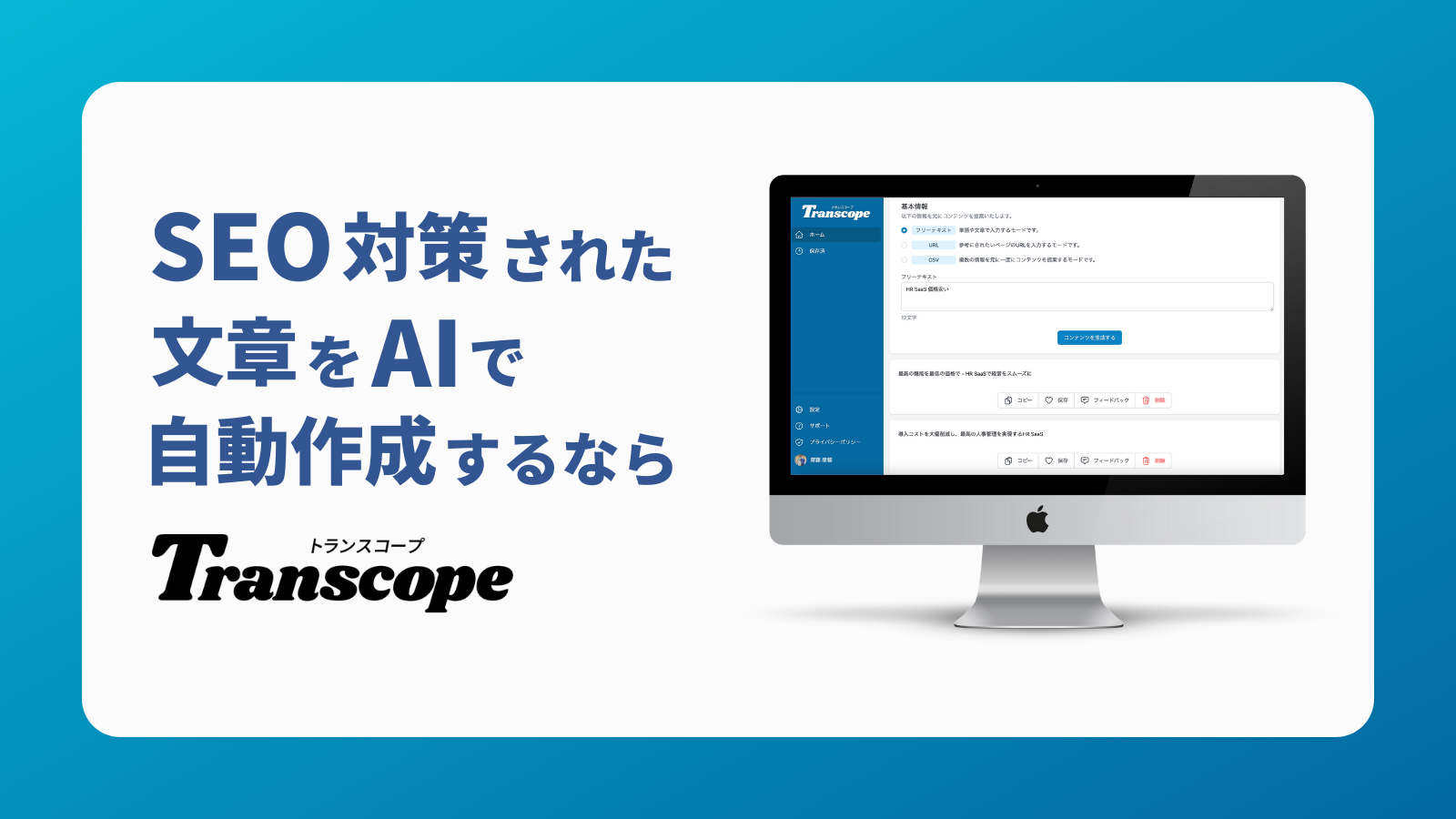
OpenAIのGPT搭載のSEOライティングツールのトランスコープ
トランスコープは、ChatGPTを提供するOpenAIのGPTを搭載した、SEOに強いAIライティングツールです。順位を上げたい検索キーワードを入力すれば、競合のコンテンツを学習し、SEOに強い文章を生成します。
transcope.ioEmmaTools
EmmaTools is a tool built less for mass-producing new articles and more for aligning the quality of existing ones. The official site describes a content score based on related keyword coverage, keyword ratios, and text volume, along with improvement suggestions. A 7-day free trial is available, but specific monthly pricing could not be confirmed in the information accessible for this review. The right value lens is not articles generated but rather how much decision time it saves on article improvement.
The strength is standardized evaluation criteria. When individual writers have different gut feelings about what makes a "good article," reviews become inconsistent. Score-based evaluation like EmmaTools provides a shared foundation for revision instructions. This matters more than you might expect, even for side hustle work. In client projects, abstract revision requests lead to excessive back-and-forth, but when improvement areas are visualized, it becomes much easier to share what needs fixing. The weakness is that it is not the lead tool for generating compelling body text from scratch. Improvement assistance is its core role, and initial drafting speed is better delegated to another tool.
The side hustle sweet spot is rewriting gigs for existing articles. For work focused on improving underperforming articles rather than new writing, EmmaTools' value becomes visible quickly. When a client has multiple writers, the value of aligning evaluation criteria also comes into play. The strength of dedicated SEO tools is less about writing beautiful prose and more about standardizing the review process. EmmaTools is a prime example.
This tool suits anyone handling frequent rewrite projects, anyone wanting a quality control perspective, and anyone sharing article standards across a team. Japanese support works well, and SEO is delivered through improvement suggestions. Since it is not a source-display tool, fact-checking is a separate step. It makes the most sense as an editing-process standardization tool rather than a body text generator.
EmmaTools (エマツールズ)|日本語対応のオールインワンSEOツール
EmmaTools(エマツールズ)はキーワード分析からライティング・リライト、検索結果順位測定までSEO対策に必要な機能を集約したオールインワンSEOツール。独自の指標によるコンテンツのスコア化とAIによる文章生成機能で高品質・高効率なSE
emma.toolsUniCopi
UniCopi is a usage-based service suited for anyone who wants to grow article volume without heavy fixed costs. On service.unicopi.com, pricing is shown at 700 to 3,000 yen (~$5 to $20 USD) per article, with the lowest monthly offering starting at 30,000 yen (~$200 USD). Since the earlier section already covered per-article cost feel, the focus here is on usage patterns. UniCopi's advantage is not "subscribe monthly and recoup the cost" but rather using only the volume you need and keeping costs predictable.
The strength is pricing transparency and ease of verification through reference-source display and deep research features. Usage-based pricing pairs well with the early side hustle phase when volume is low. Subscribing to multiple monthly tools means fixed costs persist even in months you barely use them, whereas UniCopi lets you scale costs to project count. The weakness is that costs stack up as volume increases. At the mass-production phase, flat-rate monthly tools may be more comfortable to use without restraint. Detailed character limits and usage conditions per article are also not fully clear from public information alone, leaving some design visibility gaps.
The side hustle sweet spot is the trial-run period when project volume has not stabilized. When delivering just a few articles a month, usage-based pricing is easier to break even with. Conversely, once volume picks up, a comparison with flat-rate options becomes necessary. Using UniCopi builds a sense of "how much does one article cost me," which also makes you more alert to the risk of accepting gigs based on word rate alone. That cost visibility is a benefit in developing negotiation instincts.
This tool suits anyone who wants to avoid increasing fixed costs, anyone starting with small-volume projects, and anyone who values a design that makes reference sources easy to trace. Japanese support is domestically oriented and easy to work with. SEO is not as thick as dedicated tools, but research assistance and reference-source display features contribute to practical workflows. On service.unicopi.com, it is explicitly stated that "we do not claim copyright on generated output," which is a notable distinction. For side hustle use where rights concerns arise, the presence or absence of such a statement becomes a meaningful reassurance factor.
UniCopi - SEO記事作成を10倍効率化するAIコンテンツマーケティングツール
service.unicopi.comRecommendations by Use Case: Blog Side Hustles, SEO Articles, Free Trials, Enterprise Adoption
For Side Hustle Beginners
If you want the fastest decision, start with ChatGPT or Gemini. Both have easy free-tier entry, and even ChatGPT Plus at $20/month on the official pricing page wins on breadth of use as a first tool.
In the early side hustle stage, breadth — handling proposal drafts, outlines, article drafts, and rewrites in one place — matters more than deep SEO feature sets. When your project types have not solidified, "can I use this for anything?" outweighs "does it have the best features?" and general-purpose chat AIs carry less failure risk. The AI side hustle starting point is commonly discussed as around 30,000 yen (~$200 USD)/month, and at that income stage, committing to an expensive specialized tool matters less than having a tool that lets you build a delivery workflow.
SEO-Focused
For sustained SEO article operations, SAKUBUN, Transcope, and EmmaTools are the primary candidates, with TACT SEO for enterprise adoption. The reason: they handle outline creation, competitor analysis, improvement suggestions, and ranking management without splitting the work across separate tools.
Here is the critical point: what consumes the most time in SEO is not body text generation but keyword planning and the review process. Transcope consolidates through the checking phase, and EmmaTools standardizes improvement criteria for existing articles. For enterprise adoption, TACT SEO's vendor has published case studies citing "over 6,500 companies deployed," "up to 90% labor reduction," and "60% of AI-created articles ranking in the top 10 search results" (these figures are based on vendor-published case studies; please cite the source URL).
Research-Focused
If research and verification come first, Perplexity is the fastest path. Source-cited summaries make it easy to progress through investigation, and it is strong on latest-information groundwork.
Whether writing SEO articles or comparison pieces, the usual bottleneck is primary source discovery, not body text generation. Perplexity fits best when treated as a tool for shortening material gathering rather than one that outputs finished long-form text. Building a skeleton while tracing references, then polishing with ChatGPT or Claude afterward, is a genuinely fast workflow in practice. For topics where information freshness matters, putting a source-display tool at the front of the process reduces rework more than diving straight into text generation.
For WordPress Integration
If you want to operate directly in WordPress, AI Engine and AI Direct Editor are strong options. They allow draft insertion through the admin panel and block editor, cutting down on the copy-paste round trips.
In reality, one of the quietly heavy parts of article production is the "generate in AI, edit elsewhere, paste into WordPress, go back again" loop. AI Engine is distributed on WordPress.org and connects to OpenAI, Claude, and Gemini APIs once you set up an API key. AI Direct Editor also supports generation, insertion, table-of-contents creation, and SEO assistance within the block editor. In practice, just using integration plugins like these noticeably reduces round trips between drafting and rewriting. When running article volume through WordPress, choosing based on the total working distance including the editing interface — not just standalone prose quality — tends to improve efficiency.
How to Choose a Pricing Plan and Where the Break-Even Point Falls
The way to read pricing is not simply "cheap or expensive" — it shifts based on how many articles you write per month and how much of the process you delegate to the tool. Here is the key insight: AI writing tools broadly split into flat-rate general-purpose tools like ChatGPT, Claude, Gemini, and Perplexity, SEO-specialized tools like SAKUBUN, Transcope, EmmaTools, and TACT SEO that cover the entire SEO workflow, and per-article billing like UniCopi. For comparison, it helps to evaluate tool name, primary use, pricing structure, free plan availability, natural Japanese output, SEO features, fact-check assistance, and ideal user profile as a set.
How the 8 Tools Look When Sorted by Pricing
The easiest group to organize is ChatGPT, Claude, Gemini, and Perplexity. ChatGPT is a flat-rate monthly tool covering general text generation, outlines, rewrites, and brainstorming, with a free plan. Natural Japanese quality is high, and SEO features are most useful for outline creation rather than body text. Fact-check assistance is not source-display-based, so combining it with another tool rather than expecting end-to-end verification fits the practical workflow. Best for side hustle beginners or anyone wanting one multi-purpose tool.
Claude is also a flat-rate monthly tool with a free plan. Its primary use is long-form drafting and context retention, with natural Japanese output ranking among the strongest across these eight tools. SEO features are not as granular as dedicated tools, but since first drafts are easy to read, it pairs well with anyone looking to reduce editing overhead. Fact-check assistance is not source-display-centered, so running a separate investigation step suits this tool. Best for anyone wanting natural Japanese in long-form articles.
Gemini is flat-rate monthly with a free usage tier, primarily for research assistance and Google service integration. Japanese output is natural, and the proximity to Gmail, Docs, and Drive is its distinguishing trait. SEO features are not purpose-built — outline creation works fine, but keyword planning and competitor analysis require manual supplementation. Fact-check assistance draws on Google integration for research strength. Best for anyone whose daily work centers on Google.
Perplexity is a monthly tool strong in information gathering and verification, with a free plan. Natural Japanese output cedes a step to ChatGPT and Claude in some situations, but source display is baked into the design, making fact-check assistance very straightforward. SEO features point toward competitor article research and statistical verification rather than mass body text production. Best for anyone who prioritizes latest information and reference traceability.
On the SEO side, SAKUBUN, Transcope, EmmaTools, and TACT SEO have more clearly defined roles. SAKUBUN focuses on SEO article creation and template workflows, with a free plan. Natural Japanese output is solid, and the ability to consolidate outline, keyword, and competitor analysis work is a strength. Fact-check assistance is not source-display-based. Best for anyone mass-producing SEO articles on a sustained basis.
Transcope is an operational tool covering SEO article generation, competitor analysis, ranking checks, and compliance features. Japanese output is practical, and SEO features rank among the thickest in this group. Fact-check support features are available, along with plagiarism and pharmaceutical advertising compliance checks. Pricing appears monthly, though public information does not pin down specifics. Best for anyone who wants to run the SEO workflow in one screen.
EmmaTools is stronger at improving existing article quality than generating large volumes from scratch. Natural Japanese output is best evaluated with human editing in mind, and SEO features center on scoring and improvement suggestions rather than outline creation. A free trial exists, and fact-check assistance is not source-display-based. Best for anyone who wants to standardize article quality criteria or manage rewriting precision.
TACT SEO leans toward an enterprise SEO operations tool, covering keyword planning, ranking management, and production support. Pricing is inquiry-based, but the service is closer to a comprehensive estimate that includes pre-work through operations. Natural Japanese output is better judged alongside operational design and support structure rather than as standalone tool output. Fact-check assistance is not source-display-based, but SEO features cover a very wide range. Best for enterprise media and team deployment.
The Break-Even Point Becomes Clear When You Ask "How Many Articles Per Month?"
From a side hustle perspective, setting a benchmark of 5,000 yen (~$33 USD) per article makes the math easy to visualize. ChatGPT Plus, for instance, is $20/month on chatgpt.com. As mentioned earlier in this article, treating that as roughly 3,000 yen in Japanese yen terms, one article in the first month nearly covers the cost. From the second article onward, tool costs alone start building profit. And since ChatGPT handles not just article body text but also proposals, outlines, heading adjustments, and summaries, you do not need to allocate the entire cost to a single article.
On the other hand, for low volume, usage-based or per-article billing can be more favorable. The market benchmark for usage-based pricing is roughly 1 to 10 yen (~$0.007 to $0.065 USD) per 1,000 characters. For example, two 1,800-character articles at 5 yen per 1,000 characters totals about 1,800 yen (~$12 USD). If you only write one or two articles a month, this approach is easier to break even with than carrying fixed monthly costs. Especially in the early side hustle phase, when months with zero projects are normal, the psychological weight of fixed costs is real.
UniCopi's per-article pricing sits right in the middle for easy calculation. You can assign a cost to each article, making it straightforward to judge "is this gig profitable?" on a piece-by-piece basis. In my experience, early-stage side hustlers find per-article cost visibility more useful for rate negotiation than flat-rate subscriptions. Conversely, once volume stabilizes, costs accumulate quickly, so a comparison with flat-rate tools becomes necessary.
💡 Tip
As a rule of thumb, for 1-2 articles per month, usage-based or per-article pricing is worth considering; at 4 or more articles per month, flat-rate pricing tends to stabilize better. In practice, character count, rewrite iterations, and research time also factor into cost, so deciding based on body text generation alone introduces drift.
Natural Japanese Output and SEO Features Affect Recovery Rate More Than Pricing
When thinking about break-even points, the easily overlooked factor is correction time cost. Claude, for example, does not have fully public granular pricing, but its high natural Japanese output and resistance to long-form flow breakdown reduce first-draft editing time. Even at a 5,000 yen (~$33 USD) article rate, an extra 30 minutes of corrections per article materially lowers your effective hourly rate. A tool with slightly higher visible fixed costs that reduces editing labor can actually be easier to recoup.
The same logic applies to SEO-specialized tools. SAKUBUN and Transcope carry not just body text generation but outline, keyword, and competitor analysis features, which cut preparation time. EmmaTools moves the needle less on production speed and more on reducing rework through improvement suggestions. TACT SEO is less about individual article profitability and more about team-wide labor reduction, shifting the recoupment perspective to operational efficiency.
Perplexity and UniCopi, with their strong fact-check assistance, also affect recovery rate when viewed from another angle. Just reducing the time spent reopening search tabs for verification makes a noticeable difference on tight-deadline projects. Especially for articles incorporating statistics or latest information, whether sources are easy to trace directly influences revision count, so the analysis should extend beyond pricing to include research process shortening.
Annual Plans: Wait Until You Have Three Months of Data
Flat-rate tools often tempt with annual billing discounts, but I consider it prudent to switch only after about three months of operation. The reasoning is straightforward: AI tools earn their value not by "whether you use them" but by "whether they fit into your monthly workflow." Even general-purpose tools like ChatGPT, Claude, and Gemini see many users try them for one month and stop. SEO-specialized tools like SAKUBUN, Transcope, and EmmaTools get mixed reviews depending on how well they mesh with individual production flows.
After three months, if you are consistently producing four or more articles per month and running outline creation, research, and rewriting through the same tool, annual billing benefits become real. Conversely, tools with limited use cases — Perplexity for research only, EmmaTools for improvement only, TACT SEO for team deployment — are better judged once you have clarity on your usage duration. Beyond pricing alone, identifying which of natural Japanese output, SEO features, or fact-check assistance resolves your biggest bottleneck significantly changes how the break-even point looks.
5 Points for Choosing Without Regret
The most effective approach to selection is not comparing spec sheets but first identifying where your production workflow actually stalls. In my experience, even under the same umbrella of "writing articles with AI," pain points vary considerably from person to person. Some lose time correcting unnatural Japanese in first drafts, others get stuck verifying statistics, and others spend too long on outlines and keyword planning. Here is the key insight: AI writing tools work best not as universal solutions but as targeted fixes for your most time-consuming step.
- Judge Japanese accuracy by correction volume, not "naturalness"
When evaluating Japanese accuracy, readability alone is insufficient. What matters in practice is whether formal and informal registers mix, whether the subject drops mid-text, and whether connector words create unnatural chains — test these during trials. Claude resists long-form flow breakdown, ChatGPT stabilizes well with the right prompts, and Gemini's Japanese support is solid with a smooth path from research notes to drafts.
During trials, I generate output for the same topic at three points: "introduction," "per-heading body text," and "the paragraph before the conclusion." Tools that show minimal register mixing, expression repetition, and subject dropping at these points produce significantly lighter downstream editing. Japanese naturalness tends to be judged by feel, but looking at how much red-pen work is needed before publication keeps the evaluation grounded.
- Fact-check assistance shows its value in verification speed
For research-heavy articles and articles dealing with latest information, fact-check assistance has a bigger impact than you might expect. Perplexity-style tools that let you chase source links alongside answers compress the time spent verifying numbers and statistics. UniCopi also has reference-source display and deep research design, with its strength in reducing verification round trips rather than body text generation itself.
Conversely, general-purpose chat AIs like ChatGPT and Claude produce strong draft scaffolds but are not designed around source display. For verification-heavy projects, evaluating "can I get back to the evidence?" rather than "can it write?" better matches reality. Especially for healthcare, finance, and B2B data articles, whether search integration or source links exist can dramatically change working time, making this a non-negotiable evaluation criterion.
- Judge SEO features by whether the full workflow runs end-to-end
Even among tools marketed as SEO-capable, the real differences emerge in the steps before and after body text generation. What to look for: whether keyword selection, competitor analysis, and heading design run in something close to a single click. SAKUBUN, Transcope, and TACT SEO are strong in this area, shortening the design phase before writing begins. EmmaTools has its strength less in competitor research and more in pre-publication and existing-article quality management.
For enterprise media and mass-production setups, CMS integration and WordPress connectivity also matter. WordPress plugins like AI Engine let you bring AI into the article submission flow, and AI Direct Editor enables editing within the block editor. When comparing SEO features, looking only at body text quality is a surprisingly common mistake. In reality, the more your workflow separates the person designing the outline, writing the body, and submitting the article, the larger the peripheral feature gap becomes.
- Evaluate usability by whether you can use it daily without friction
Easy to overlook in comparison tables, usability directly determines continued use. Specifically, check whether prompt templates are easy to save, whether history is easy to navigate, and whether collaborative editing causes friction. General-purpose chat AIs offer high freedom but can lose reproducibility if you rebuild prompts from scratch each session. SEO-specialized tools tend to template more easily, making it simpler to maintain quality when team members change.
During initial trials, I pay close attention to "how easy is it to reuse the same structure for a different project?" Tools with hard-to-navigate history make it difficult to replicate past successful conditions, and you end up tuning from zero every time. For team use, whether you can track who edited what and whether collaborative review works smoothly also matter. A feature-rich tool that feels heavy in daily operation stops getting used — do not underestimate this factor.
💡 Tip
During trials, go beyond "produce one 3,000-character article" and test "can I reuse last session's prompt for a different topic with the same results?" This surfaces usability differences you would otherwise miss.
- Commercial use terms matter more than pricing
Whether for side hustles or business use, commercial terms are a point you cannot afford to skip. The three things to check: who owns the generated content, whether redistribution is restricted, and whether credit attribution is required. ChatGPT's terms indicate that generated content ownership rests with the user per OpenAI's terms of service, but factoring in business data handling makes the clause reading less straightforward. UniCopi explicitly states on its official site that it does not claim copyright on generated output.
On the other hand, services like Claude, Perplexity, and SAKUBUN have commercial use clause details that are not fully readable from search excerpts alone. Even when function and prose quality are good, unclear boundaries on how freely you can use output slow down adoption decisions. For enterprise use, reviewing not just rights attribution but also terms around sharing with subcontractors and internal distribution makes operational rule-building easier down the line.
Listing five points may seem like a lot, but in practice, deciding which of "too many Japanese corrections," "research is heavy," or "SEO planning takes too long" is your biggest bottleneck narrows the field significantly. Some people fit best with a general-purpose chat AI, others with a source-display tool like Perplexity, and others with SEO-specialized tools like Transcope or TACT SEO. People who avoid selection mistakes are those who evaluate not by feature count but by whether the tool reduces the step eating the most of their time.
Caution: Why You Should Not Publish or Submit AI Text As-Is
The most common failure when publishing or submitting AI-generated text directly is a quality incident and a rights incident happening simultaneously. Here is the core issue: AI text that reads naturally is not necessarily factually correct. Whether you are submitting articles for a side hustle client or publishing on your own site, responsibility ultimately rests with the person who submitted or published — not the tool.
Hallucinations Are "Natural-Looking Errors," Which Makes Them Hard to Catch
The tricky part of AI text is not the obviously broken sentences — it is text that reads convincingly while getting facts wrong. Common examples: confused dates, mixed-up company or service names, off-by-an-order-of-magnitude numbers, and misattributed regulatory timelines. General-purpose AIs like ChatGPT, Claude, and Gemini are fast at draft generation, but their output does not come with built-in evidence for every claim. Even source-display tools like Perplexity can produce citation misreadings or summary overreach.
In my own experience, AI excels at smoothing prose flow yet occasionally breaks on formal proper nouns and numerical recency. In comparison and SEO articles especially, a single misstatement can undermine the entire piece's credibility. That is why an editing process that assumes source verification and primary-source re-reading is essential — without it, post-submission revisions and post-publication corrections pile up.
Copyright and Commercial Use Terms Are Separate from "The Tool Can Generate It"
Another easily overlooked point: whether you are allowed to use output for business and whether you can confidently reuse it are not the same question. ChatGPT's terms of service, for instance, indicate that generated content ownership rests with the user. However, commercial use clauses, data handling policies, and training-use policies differ across tools. Services like Claude and Perplexity have details that are not fully readable from search excerpts alone, and clause-level differences are significant.
Beyond the AI text itself, the risk of third-party material creeping in cannot be ignored. Quotations, product descriptions, catchphrase-like expressions, and other-party content mixed in during image generation or summarization all carry external rights implications. Debates around training data have not fully resolved either, and in commercial projects, "I was able to generate it, so I can use it" does not always hold. Services like UniCopi that explicitly state they do not claim copyright on generated output exist, but even so, each tool's terms and the client-side usage conditions need to be reviewed separately — that is the practical reality.
ℹ️ Note
For client work, you need to align not just the tool's terms of service but also the client's requirements around "whether AI use is permitted," "whether disclosure is required," and "whether confidential information can be input." Without that alignment, operational workflows break down later.
Notation Inconsistencies and Style Adjustments Still Require Human Editing
AI text looks tidy at first glance, but at the publication-quality stage, notation inconsistency corrections add up substantially. Examples: "Web" versus the katakana equivalent, "ChatGPT" versus "chatGPT," whether to include "Inc." before company names, mixing half-width alphanumerics with full-width numerals. In SEO and comparison articles, even these minor discrepancies reduce readability, and on internal media, they violate style guidelines.
Factor in formal proper-noun formatting, heading tone, punctuation placement, and typographic rules, and style unification is still a human job. Tools like BLOGAI that output long text quickly are attractive for first-draft speed, but speed of output and readiness for publication are different things. In practice, cases where an AI produces a draft in minutes but pre-publication editing takes significant additional time are not unusual.
For Side Hustle Use, Employment Rules and Tax Obligations Are Also in Play
When using AI text for a side hustle, workplace rules come into the picture alongside text quality. For salaried employees, company side-job policies are the baseline. Even when side work is permitted, conditions around non-compete clauses, information removal from the office, prohibition of company equipment use, and working-hours restrictions may apply. Because AI speeds up the work, the risk of accidentally inputting company business data or unreleased information also increases.
On the tax side, a commonly referenced threshold for salaried employees with side income is approximately 200,000 yen (~$1,300 USD) per year in miscellaneous income triggering a tax filing obligation. Even starting small with AI writing, consistent projects can cross this line more easily than expected. This is noted as a general reference point — individual circumstances require consultation with a tax office or specialist. Note that this threshold is based on the Japanese tax system; please verify the tax obligations applicable in your own jurisdiction. Running a side hustle with AI is not "install an efficiency tool and you are done" — it only operates safely when employment rules, confidentiality, and tax filing are all accounted for.
Wrap-Up: What to Do in Your First Week
What you need to decide today is not which tool is the ultimate best but which one fits your project volume and editing workflow. Start by trying two tools that have free access under identical conditions, and run one article through the full cycle from draft to editing to publication. The correction time and output quality differences you observe there directly reflect compatibility. AI is not a pick-and-forget decision — comparing, editing, confirming profitability, and then committing to full adoption is the approach least likely to fail.
Mandatory pre-publication editing steps:
- Add at least two internal links (e.g., to a category page or an existing "tool-specific review" article). If appropriate internal articles do not exist yet, place a placeholder noting a planned post-publication update.
- When citing vendor-published performance figures (e.g., TACT SEO) or speed benchmarks (e.g., BLOGAI), always include the source URL at the end of the article.
Related Articles
How to Start an AI Writing Side Hustle and Earn $330/Month
By carving out 5 to 10 hours a week alongside your day job, reaching $330 per month (50,000 yen) within three months through AI writing as a side hustle is a genuinely realistic goal. The math works out to roughly 11 to 12 articles per month at around 3,000 characters each, and with the right mix of gigs, you can hit that target.
How to Start a Blog Side Hustle with AI — A Step-by-Step Revenue Guide
An AI-powered blog side hustle is affordable to launch, but without a clear path to monetization, most people stall before earning anything. This guide walks beginners through everything from setting up a blog and writing posts with AI to building affiliate and ad funnels — all on a budget of 5 to 10 hours per week and roughly $7 to $20 per month (~1,000-3,000 yen).
8 Best AI Writing Tools Compared by Use Case
AI writing tools may look similar on the surface, but the best pick changes drastically depending on whether you run a side-hustle blog, produce SEO articles, manage a corporate media outlet, or publish through WordPress. This guide compares 8 major tools including ChatGPT, Claude, Perplexity, EmmaTools, SAKUBUN, and Catchy as of March 2026, covering Japanese-language support, SEO fitness, source citation, WordPress integration, and beginner-friendliness.
How to Land AI Writing Gigs on Freelancing Platforms
If you've used AI to write before, getting your first gig on freelancing platforms like CrowdWorks, Lancers, Upwork, or Fiverr isn't as hard as you think. What matters more than 'writing fast with AI' is understanding rate benchmarks—0.5 to 1 yen per character (~$0.004-0.008 USD) for beginners, 0.8 to 2 yen (~$0.006-0.016 USD) at standard rates—and having a system for picking projects and crafting proposals that get you to $70-330 per month.